Small Business Phishing Training: Why 56% of SMB Employees Still Click (and What to Do About It)
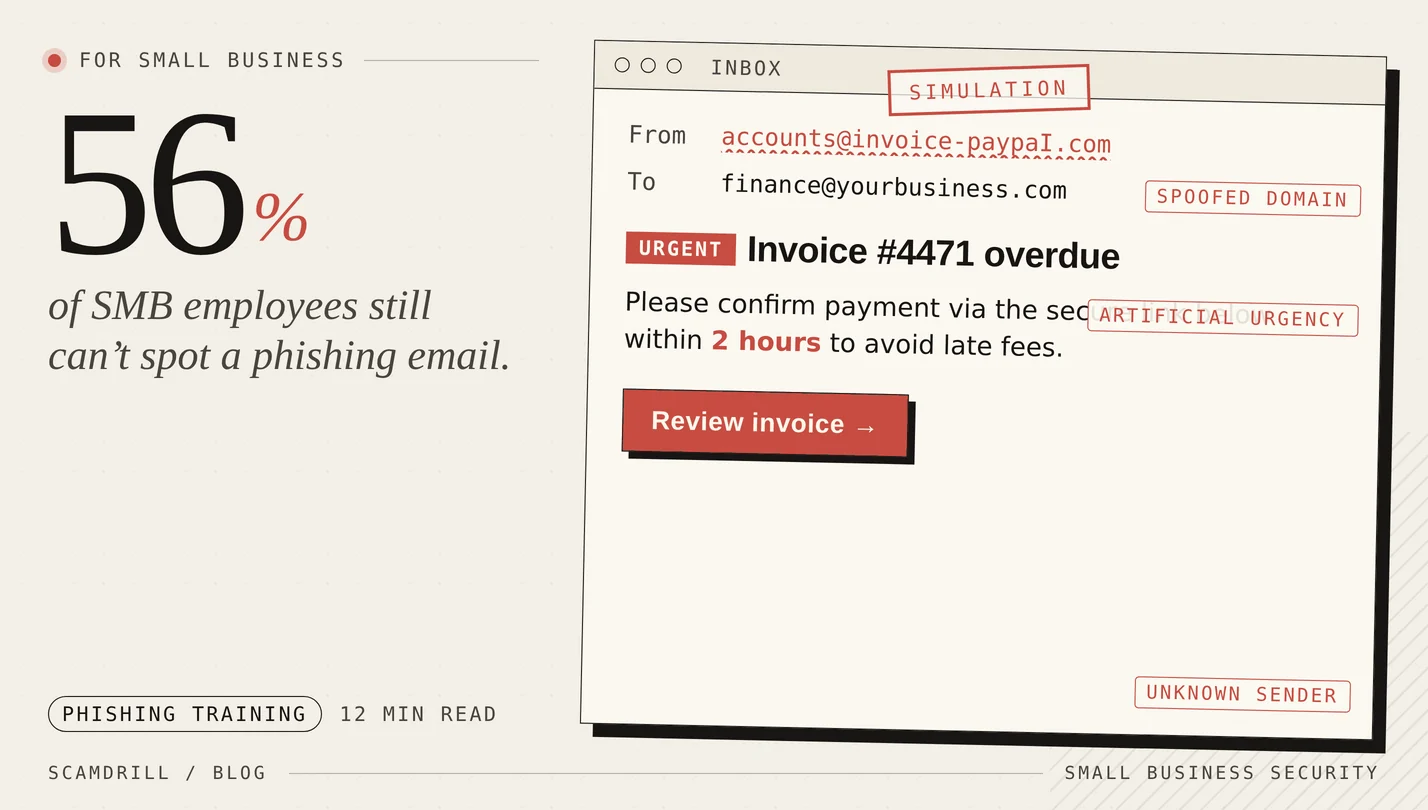
Let’s start with a number that should terrify every small business owner who’s been deferring their security program for “next quarter.”
Here’s the companion stat that explains it: fewer than 25% of small businesses conduct regular cybersecurity training for their employees. And in untrained workforces, 56% of employees can’t spot a phishing email (source: Dojo Phishing Statistics Report, 2025).
If you run a small business — an accounting firm, a dental practice, a construction company, a SaaS startup — and you have never run a phishing simulation with your team, you are statistically significantly likelier to experience a breach this year than to not. That’s not hyperbole. It’s what the numbers say.
This article is a practical guide to running an effective phishing training program at a small business, with a focus on organizations that don’t have a dedicated security team or a CISO.
Why small businesses are the most-attacked group
There’s a common misconception that attackers go after big companies for the big payouts. The data has said the opposite for years, and increasingly so:
- Small businesses have less mature defenses. No 24/7 SOC, often no EDR, frequently no MFA on critical systems.
- Small businesses have the same valuable data as big ones. Customer PII, banking credentials, access to payment systems.
- Small businesses pay. A 25-person firm that can’t do payroll will often wire $40,000 quickly. A Fortune 500 has lawyers and insurers who push back.
- Attacks are now automated. Ransomware gangs don’t target companies by name — they target unpatched VPNs and exposed RDP servers. Whoever gets compromised gets compromised.
The FBI’s 2025 IC3 report documented $3 billion in business email compromise losses, much of it at companies under 100 employees. The KnowBe4 2025 Phishing by Industry Benchmark Report found that SMBs in industries like construction, consulting, healthcare (small practices), and financial services had baseline phishing click rates in the 30–40% range — meaning one in three employees at an untrained small business clicks the bait.
Why annual “click-through-these-slides” training doesn’t work
If you already do security training at your company, there’s a decent chance it’s a once-a-year compliance module: a 30-minute video, some multiple-choice questions, and a certificate that gets filed for an auditor. This is the format most SMBs have, and it is largely worthless.
A 2025 study from UC San Diego examined 10 phishing simulations across 19,500 healthcare employees. They found no correlation between recency of annual training and phishing-failure rates. A 2025 University of Chicago paper (“Understanding the Efficacy of Phishing Training in Practice”) corroborated this, finding annual training drove a 9.5% improvement — but contextual, interactive training delivered at the moment of a simulated-click failure drove a 19% improvement. More recent research suggests the best-run programs achieve 40% reduction in 90 days and 86% within a year.
The lesson is clear: training is only effective if it (a) happens more than once a year and (b) includes simulated attacks with immediate feedback. Anything else is theatre.
The minimum viable phishing training program for a 5–50 person business
Here’s what we recommend for the typical small business owner or operations manager who has been assigned “fix our security awareness” on top of 47 other responsibilities:
Component 1: Monthly phishing simulations
This is the non-negotiable piece. Every employee gets 1–2 simulated phishing emails per month. They should cover the realistic mix of attacks your business actually sees:
- Fake invoice / vendor billing emails (heavily used in BEC)
- Fake DocuSign / e-signature requests
- Fake IT helpdesk emails asking for password resets
- Fake Microsoft 365 / Google Workspace login notifications
- Fake “CEO needs gift cards” or “urgent wire transfer” emails (the CFO’s inbox specifically)
- Fake package-delivery notifications (a surprising amount of BEC starts here)
- LinkedIn/recruiter-style emails targeting HR and hiring managers
When someone clicks, they land on a friendly teaching page that shows them the exact red flags. When they correctly report the email (using a reporting button in their email client), they get a small acknowledgement.
Component 2: Quarterly short-form training (10 minutes max)
Long training modules don’t work, but very short ones reinforcing specific behaviors do. Rotate topics:
- Q1: Spotting phishing — the standard red flags
- Q2: Business email compromise and wire-transfer fraud
- Q3: Password hygiene and MFA
- Q4: Physical and social engineering (tailgating, fake-vendor calls, dropped USBs)
Keep each session under 10 minutes. Short beats comprehensive, every time. Compliance-era 45-minute modules just teach employees that security training is tedious.
Component 3: “Report phish” button + clear incident response
Every employee email client should have a one-click “Report Phish” button. When they click it, the email goes to a central mailbox (or your MSP), the email is removed from everyone’s inbox, and the reporter gets a quick acknowledgement.
The critical behavior you’re trying to build is: when in doubt, report, don’t click. Make reporting the easier, faster option than dealing with a suspicious email alone.
Component 4: Blameless post-incident learning
The moment someone in your company actually falls for a real phishing email, you have a choice: shame them, or turn it into a team learning event. Choose the latter, always. The CISO research is unanimous on this: shame-based security cultures have worse outcomes, because people hide incidents rather than report them.
When someone clicks, say publicly: “Jane clicked on a real phishing email this week. She caught it within 20 seconds and reported it, which is exactly what we train for. The email was a [X] variant — here’s what to watch for.” That’s the culture you want.
The specific metrics to track
You don’t need a SOC dashboard. You need four numbers:
- Click rate on simulated phishing: % of simulations that result in a link click. Starting baseline for most SMBs is 25–35%. Target: under 10% by month 6, under 5% by month 12.
- Credential submission rate: % of simulations that result in entering login credentials on a fake page. Starting baseline: 10–20%. Target: under 2%. This is your “real breach risk” number.
- Report rate: % of simulations that get correctly reported. Starting baseline: often under 5%. Target: over 50%. A high report rate is the single most important indicator of security culture.
- Time to report: median seconds between email delivery and report. Target: under 5 minutes.
Click rate gets all the attention but report rate is more important. A company where 20% of people click but 60% report is in much better shape than a company where 5% click and 5% report. Why? In the real-phishing case, the report rate determines how quickly IT can quarantine the email before more people click.
Common mistakes SMBs make
Mistake 1: Running one simulation and calling it done
Research is clear: single simulations don’t produce durable behavior change. You need a cadence of at least monthly exposures for at least 12 months before you see sustained improvement.
Mistake 2: Using simulations that are too easy (or too mean)
Templates that are “free iPad, click here!” train no one. Templates that spoof the CEO’s personal Gmail and offer “a special bonus for your anniversary” are cruel. The sweet spot is plausible-but-spottable: realistic vendors, realistic subject lines, genuine red flags that a trained eye can catch.
Mistake 3: Punishing employees who click
Discussed above, but worth repeating. Never fire, never shame, never CC the manager. If an employee is clicking repeatedly, offer them extra one-on-one training. Make the click a teaching event, not a disciplinary one.
Mistake 4: Exempting executives
The #1 spear-phishing target at any company is the CEO’s inbox, the CFO’s inbox, and the bookkeeper’s inbox. They need the most training, not the least. “The CEO is busy” is how $400,000 wire transfers get authorized to fake vendors.
Mistake 5: Running training and ignoring the infrastructure
Training reduces click risk. It does not fix underlying infrastructure. Before or alongside your training program, you should also:
- Enforce MFA on email, VPN, and administrative systems
- Enable DMARC/DKIM/SPF on your own domain
- Enable Microsoft 365 / Google Workspace anti-phishing features (Safe Links, Safe Attachments)
- Patch your VPN and any externally-facing systems on the day of release
- Back up critical data with a true offsite, offline backup
SMB-sized phishing training, without the enterprise complexity.
ScamDrill’s organization plans are built for 5-to-250-person teams. Templates current with 2026 threats. One-click reporting. Automatic teaching pages. No 100-page CISO setup guide required.
See the organization plan →The 90-day rollout
We cover a specific week-by-week rollout in our companion piece: Phishing Simulation for Small Business: A 30-Day Rollout Plan. The short version:
- Days 1–14: Announce the program, set up tooling, run a baseline simulation.
- Days 15–45: Two rounds of simulations, training for repeat clickers, first “no-shame” team debrief.
- Days 46–90: Sustained cadence, track metrics, roll out the report-phish button if you didn’t already, quarterly training launches.
By day 90, most SMBs see click rates cut roughly in half and report rates jump 5–10x.
The ROI case, in one paragraph
Average phishing training program cost for a 25-person SMB: $3,000–$6,000 per year. Average cost of a ransomware breach at an SMB: $120,000, not counting reputational damage, lost customers, and the 60% probability of business closure within six months. If training reduces breach probability by even 30% in a given year — a conservative number given the research — the expected value of the training program is wildly positive. You don’t need to be a risk analyst to do this math.
Start this quarter
If you’ve been putting off security awareness training because it seemed like a big enterprise program, please reconsider. For small businesses, the setup is genuinely a few hours of work, the cost is a few dollars per employee per month, and the downside risk you’re mitigating is existential.
The attackers have automated their side of this. You need to have automated defense. And the cheapest, most effective piece of that defense — by a wide margin — is ongoing phishing simulation with in-the-moment teaching.
For the step-by-step rollout, read our 30-day phishing simulation rollout plan for small business. For the family/consumer version of the same concept, see phishing simulation for families.