What the ScamDrill app does — and what it deliberately doesn’t
Bottom line up front
The ScamDrill app checks a text, an email, a link or a screenshot and tells you what looks wrong with it, in plain language. It does not connect to your inbox, it does not keep what you check, screenshots are read on the phone itself, and it will never tell you a message is safe. Most of those are decisions to leave something out, and the reasoning is below. It is on iPhone now; Android is coming.
We put ScamDrill on the App Store this month. It does one thing: you give it a message you are unsure about, and it tells you what it sees.
Building that part was straightforward. What took the arguing was deciding what to leave out, because several of the obvious features in this category are ones I would rather not ship. This is the reasoning, in case you are weighing up something similar — or in case you are about to hand this app to a parent and want to know what it can and can’t see.
What it does
You paste a message in, or share it into the app from Messages, Mail or Safari, and you get back a verdict with the reasons attached. Not a score out of ten. The actual tells: a sender address that doesn’t match the brand it claims, a shortened link that resolves somewhere else entirely, a deadline that exists to stop you thinking.
Four kinds of input. A text or a DM, shared straight out of Messages so there is no retyping. An email. A link, which it follows through the redirect chain so you can see where it actually lands before you tap it. And a screenshot, on a Family plan — that one exists because a good share of the messages people worry about can’t be copied at all. A locked app, a photo of a letter, a screenshot somebody else forwarded them.
Signing in is an email address and a one-time code. There is no password, which was not a convenience decision so much as an acknowledgement that the people this app is most for are the least likely to make it through a password reset.
The beginner checker works with no account at all. The full checkers, the screenshot check and the practice drills come with a Family plan.
The inbox question
It is common in this category to ask for access to your email account. That is a defensible design and I am not going to pretend otherwise — you catch things the user would never think to check, and the demo is excellent.
We decided against it. Connecting an inbox means holding a key to the most sensitive account most people own: the one every password reset flows through. If we are ever breached, the damage isn’t “some scam texts leaked”, it is account takeover for everyone who connected. That risk sits with the user, not with us, which is the part that made the decision for me.
So the app only ever sees the one thing you hand it.
Two things follow from that. The content you check isn’t stored on our servers — the check runs, you get the answer, and the message doesn’t become a row in a table somewhere with your name on it. I should be precise, because “we don’t store anything” is the kind of claim that turns out to have an asterisk: we do keep ordinary operational records, that a check happened and when, because quotas and abuse prevention need them. What we don’t keep is the content.
And the screenshot check runs its text recognition on the device. The words go out to be checked; the picture doesn’t. If you screenshot a bank statement because you want to ask about one line of it, the rest of that statement never leaves your phone.

Checked content is not stored on ScamDrill servers. Operational records — that a check ran, and when — are kept for quotas and abuse prevention.
The word it won’t say
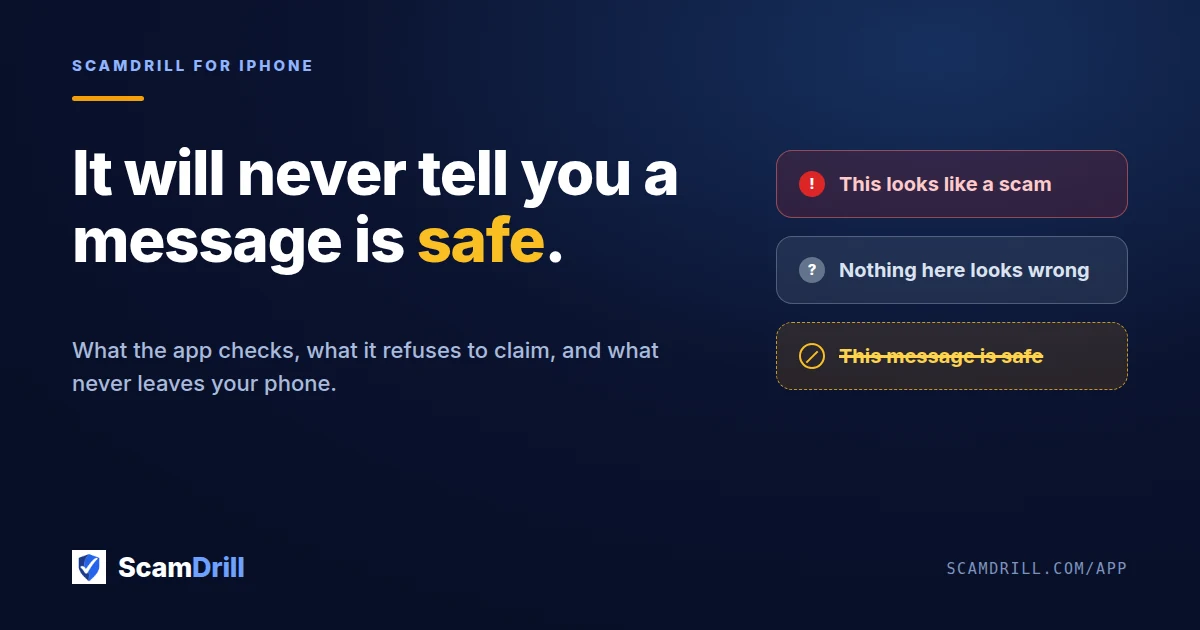
The app will tell you a message looks risky, and why. It will tell you it didn’t find anything wrong. It will not tell you a message is safe.
This is the one people push back on, and the request is always reasonable on its face: a “verified safe” badge for messages that come back clean. It feels unfinished without one. Honestly, it would also be easier to market.
The problem is what happens the first time we are wrong. A checker that says “risky” and is wrong costs somebody thirty seconds of unnecessary caution. A checker that says “safe” and is wrong has just talked someone into wiring money, using our brand as the reassurance. Those two errors are not the same size, and no amount of accuracy makes them the same size, because the second one only has to happen once to be worth more than every check we got right.
Scammers also read marketing copy. A tool that certifies messages as safe is a tool worth engineering around, and the reward for beating it is a victim who has already been told not to worry.
Three more things it doesn’t do
There is no community threat feed. There is an Alerts tab in the app and right now it says “No alerts yet”. That is not a bug we forgot about — I built the shell and then couldn’t justify filling it. A feed of what other people are reporting is engaging in a way that has very little to do with whether you spot the next text that arrives on your own phone. If it ships eventually it will be because it earns its place, not because the tab looked empty.
It doesn’t replace the drills. The practice scams still arrive by email, the same as they did before. The app is where you check the real ones. Worth saying because a few people assumed the app was now the whole product, and then wondered why they were still getting drills.
Guardians can’t see what a learner checks. If you are the person paying for the family plan, you get told when someone clicks a practice scam or spots one. You don’t get to see the things they looked up. That matters most for teenagers, who will simply not use a tool they know a parent is reading over their shoulder, and it costs us a feature that would demo well to the wrong buyer.
Where the app actually sits
The app is the smaller half of what ScamDrill does. The training — safe fake scams that turn up when you are not expecting them, which is the entire point and also why nobody would ever choose it off a shelf — is the part that changes what someone does at nine at night when their “bank” texts them. The checker is the safety net for the message the training hasn’t covered yet.
If you only ever use the free beginner check and never buy anything, that is a perfectly good outcome. It beats the alternative, which is guessing.
Where it runs
iPhone, iOS 16.4 or later. Android is coming and I am not putting a date on it until it is approved, because announcing a date before review agrees with you is a good way to be wrong in public.
Everything except the app itself already works in a browser, on any phone. The free text checker and the email checker run entirely in the browser and need no account at all.
The app is free to download and free to try.
See what it checks →