Payroll Diversion: The Scam That Steals a Paycheck Before It Lands
Bottom line up front
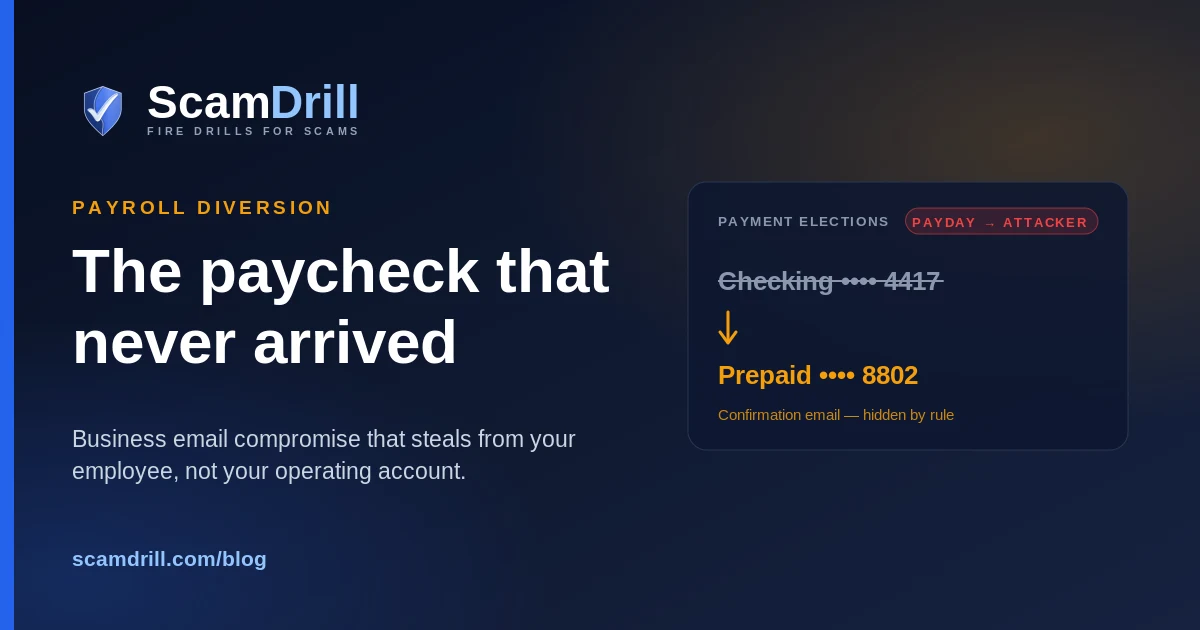
Payroll diversion is the version of business email compromise that steals from your employee rather than your operating account — and because the money never leaves a company bank account, none of your finance controls fire. Microsoft's incident responders have now documented it twice: one crew phished university staff and edited their Workday profiles directly, another bought search ads, stole a session token, and simply emailed HR from the victim's real mailbox. The tell is not the request. It is the silence around it — an inbox rule quietly burying every message containing "direct deposit" or "bank" so the employee never sees the confirmation. One rule, applied to every bank-detail change regardless of who asks, closes most of it.
An employee at a Canadian company searched for "Office 365." They clicked the first result, which was a paid placement, not the real thing. They typed their password into a page that looked exactly right, approved the MFA prompt, and got on with their day. Nothing broke. Nothing looked wrong.
Thirty days later their paycheck went to somebody else.
Microsoft's Detection and Response Team wrote that one up in April, and updated the analysis as recently as this month. What happened in between is the part worth your attention, because almost none of it looks like an attack while it is happening.
Seven signs a direct-deposit change isn't really your employee
If you read nothing else, read these. They work whether you run payroll in Workday, ADP, Gusto, or a spreadsheet and a bank portal.
- It arrives by email and stays there. The person never mentions it in the hallway, on a call, or in standup. Real people talk about their pay.
- The sender passes every check. This is the uncomfortable one. In the campaigns Microsoft documented, the request came from the employee's actual mailbox. Domain checks, SPF, DMARC, display-name rules — all of it passes, because it is genuinely their account. Authentication tells you the message is real. It does not tell you the person is.
- The timing hugs the payroll cutoff. Late enough that you are rushing, early enough to catch the run. Requests that land in that window deserve the extra phone call precisely because you don't have time to make it.
- The new account doesn't fit the person. A prepaid card. A fintech routing number. A bank in a state nobody works in. Attackers use accounts that are easy to open and easy to abandon.
- The reason discourages a phone call. "I'm in meetings all day, just email me." "My phone is being replaced this week." Anything that steers the conversation back into the channel the attacker already controls.
- There's a new inbox rule. Storm-2755 created rules that moved anything containing "direct deposit" or "bank" straight into the conversation history and stopped further rule processing, so the employee never saw HR's reply. The earlier campaign did the same thing to Workday's notification emails, sometimes naming the rule with nothing but punctuation — a row of dots, a run of apostrophes — so it would slide past a casual review.
- A new MFA method or device showed up the same week. In the university campaign, the attackers enrolled their own phone numbers as MFA devices, sometimes in the HR platform, sometimes in Duo. That is the step that turns a stolen session into durable access.
What "payroll diversion" means
Payroll diversion is a business email compromise aimed at an employee's pay rather than a company's bank account. The attacker takes over the employee's email or HR-portal login, changes the direct-deposit details, suppresses the confirmation notice, and lets the next payroll run deliver the money to an account they control.
The chain, stage by stage
Payroll diversion has an unusual shape for a fraud. There is no wire to recall, no invoice to dispute, no vendor to call. Your payroll system runs exactly as designed, on instructions it has every reason to trust, and the loss surfaces days later when somebody says their money never arrived.
Here is how the two documented campaigns actually ran.

Stages assembled from Microsoft Threat Intelligence reporting on Storm-2657 (October 2025) and Microsoft DART reporting on Storm-2755 (April 2026, updated August 2026), plus Okta Threat Intelligence on O-UNC-034 (December 2025). Compiled by ScamDrill, August 2026.
Stage one: the way in
Three routes, all documented, none requiring a software vulnerability.
The phishing route is what Microsoft Threat Intelligence saw against US universities, tracked as Storm-2657. Lures were mundane and campus-specific: a possible illness exposure, a faculty misconduct report you might be named in, a compensation and benefits document shared by HR, a memo attributed by name to the university president. Some pointed at Google Docs links, which are unremarkable in an academic inbox. The links landed on adversary-in-the-middle pages that relayed the login in real time, so the MFA code the user typed was captured and replayed within seconds. Between March 2025 and the report, eleven compromised accounts at three universities were used to phish nearly six thousand addresses across twenty-five institutions. In one send of five hundred, roughly ten percent of recipients reported it as suspicious — which is a decent report rate, and was still not enough.
The search route is Storm-2755, and it is the one I'd worry about most at small-business scale, because there is no email for a filter to catch. The actor used SEO poisoning and malvertising to put a controlled domain at the top of results for terms as generic as "Office 365" — and for the common typo "Office 265." Someone searching for their own company's login found the attacker's page first. Microsoft's write-up notes the sign-in logs carry a distinct signature: an Entra error 50199 immediately before a successful sign-in, then the user agent flipping to Axios 1.7.9 while the session ID stays the same. Same session, different client. That is a replayed token.
The phone route is Okta's O-UNC-034 cluster, and if you read our help desk vishing playbook this will sound familiar. The attacker calls the help desk, gets a password reset for a named employee, enrolls their own authenticator, then walks into Workday, Dayforce, or ADP. Okta observed it hitting education, manufacturing and retail.
Stage two: silence
Every one of these campaigns spends its second move on making sure the victim doesn't find out. Not on escalating privileges. Not on moving laterally. On silence.
Storm-2755 filtered "direct deposit" and "bank." Storm-2657 filtered mail from the Workday notification address, and Microsoft's hunting guidance tells defenders to look for deleted messages whose subjects contain "Payment Elections," "Payment Election," or "Direct Deposit." Both crews understood something that a lot of security programs still underweight: your payroll platform already sends a warning email when banking details change. The control exists. It works. It just gets delivered into a mailbox the attacker is holding.
The detection you already own
Workday, ADP, Gusto, Paylocity, Rippling and the rest all email the employee when payment elections change. If your only notification path is that email, and the attacker controls that mailbox, you have a control that reports success to the wrong person. Send the alert somewhere the attacker isn't: a shared payroll inbox, a Slack or Teams channel your bookkeeper watches, or an SMS to the number already on file.
Stage three: reconnaissance, then the ask
Once inside, Storm-2755 searched the intranet and mailbox for a short, boring list of words: payroll, HR, human, resources, support, info, finance, account, admin. It is looking for who signs off on money.
Then came the ask, and this is the detail I keep coming back to. The subject line was consistent across every compromised user: "Question about direct deposit." Not urgent. Not dramatic. A question. It asks where to send a void cheque, whether payment can go to a new account, when the next payment date is — the exact questions a real employee changing banks would ask, sent from the real employee's real address. HR replies with instructions, because that is HR's job.
Microsoft notes that where social engineering of HR staff didn't get there, the actor pivoted to signing into Workday as the victim and making the change by hand. Both paths lead to the same audit-log events: Change My Account or Manage Payment Elections.
Worth saying plainly, because vendors get blamed for this: none of it is a Workday flaw. Microsoft says so explicitly. The technique works against any HR SaaS platform that holds bank details behind single sign-on, which is to say all of them.
Stage four: patience
Storm-2755 kept its stolen sessions alive with non-interactive sign-ins roughly every thirty minutes, and renewed them around five in the morning local time — outside working hours, when a legitimate login that might invalidate the session was least likely. Where the actor stopped maintaining access, the tokens died after about thirty days. So the window between "someone clicked" and "a paycheck vanished" can be most of a month, and nothing in it looks like an incident.
Why small businesses are the comfortable target
The headline victims here are universities, and there is a reason: thousands of staff, decentralized HR, self-service portals, and a culture of email. But the underlying setup is not unique to campuses. It is what most small businesses look like too.
The economics were put well by Brett Winterford, Okta's VP of Threat Intelligence, in Okta's write-up of the help desk campaign: "At first glance, a multi-stage campaign like this seems like a lot of effort for one-off siphoning of a paycheck. It's only at scale that the economics work." He adds the part that should make anyone running a small company uncomfortable — "it also wouldn't be hard with a little reconnaissance to optimize the attack for higher income earners, or for folks about to be paid an exit package."
Read that again with your own org chart in mind. A severance payment. A commission month. A founder's draw. LinkedIn tells an attacker who just left, who just got promoted, and who probably has the largest number attached to their name. A leaked HR or applicant file tells them a good deal more, which is one more reason to keep less of it, for less time.
And the small-company version has structural gaps a university doesn't:
| What a big org has | What a 25-person company has instead |
|---|---|
| A staffed help desk with caller verification | An MSP, or the founder's cousin who is good with computers |
| HR with a documented change procedure | The office manager, who also does AP and answers the door |
| SIEM correlating mailbox events with HR-app events | Nothing correlating anything |
| An inbox-rule alert in Defender or a similar tool | No visibility into inbox rules at all |
| A payroll change queue with a second approver | One person who can do the whole thing in ninety seconds |
The last row is the one that matters. At small scale, the same person receives the request, verifies it, and executes it. There is no second pair of eyes to fool, because there is no second pair of eyes.
The question nobody asks until it happens: who eats the loss?
Here is where payroll diversion diverges sharply from invoice fraud, and where I see small businesses reason their way to the wrong answer.
When a vendor invoice gets rerouted, the company loses company money. Painful, but at least the ownership is obvious. In payroll diversion, the company's money went out on schedule and in the correct amount. The employee is the one holding an empty account and a mortgage payment.
The instinct — and I have heard versions of this from more than one owner — is that the money was paid, so the obligation is discharged, and the employee should take it up with their bank. That instinct is generally wrong. US wage and hour law puts the duty to pay earned wages on the employer, and "we sent it to the account in our system" tends not to satisfy that duty when the account in your system was put there by a criminal. In practice most employers pay the employee again and absorb the loss, and states differ enough on timing, deductions and penalties that this is a conversation for your employment counsel, not a blog post. I'm not a lawyer and this isn't legal advice.
But budget for it as if the answer is "you pay twice." That reframes the control question. Spending an hour building a verification step is not protecting your employee's money as a courtesy. It is protecting your own.
Four controls, in the order they pay off
None of these need a security team. Two of them are free.
Control mapping by ScamDrill, August 2026, against the attack chain reported by Microsoft Threat Intelligence and Microsoft DART. Okta's help desk guidance from its O-UNC-034 advisory (December 2025).
1. The out-of-band callback, applied without exceptions
No bank-detail change — employee, vendor, contractor, anyone — takes effect until somebody calls the person on the number already in your records and hears them say it out loud. Not the number in the email signature. Not a new number supplied in the thread. The number that was on file before the request arrived.
Write down what happens when the callback fails, too, because that is the moment the rule bends. If you can't reach them, the change waits for the next payroll cycle. Missing one cycle is an inconvenience. The alternative is a person not getting paid at all.
2. Move the confirmation off the employee's inbox
Covered above, and it is the highest-value fifteen minutes in this whole list. Every campaign here spent its second move suppressing an email notification. Route a copy where they can't reach it.
3. Phishing-resistant MFA on email first, HR portal second
Passkeys and FIDO2 keys are bound to the real domain, so a look-alike page cannot complete the sign-in even when the employee is fully convinced and typing willingly. Codes and push approvals can all be relayed by a proxy in real time — that is the entire point of the technique. Microsoft's recommendation in both write-ups is the same, and it starts with the mailbox, because in these campaigns the mailbox is the payroll system's authentication path.
If passkeys are a stretch this quarter, the interim move is number matching on push approvals and conditional access that requires a compliant device for the HR app. Not as good. Much better than nothing.
4. Take MFA changes away from first-line support
Okta's own guidance is blunt about this: don't let your first line of service desk staff modify authentication factors at all. Give them the ability to issue a temporary access code after the person has verified their identity, and nothing more. If you outsource IT, ask your provider in writing what they will do on an inbound call, and whether a callback is required before a password or MFA reset. Their answer is your control, whether you like it or not.
The link at the front of this chain is a phishing page
Whether it arrived by email, by search ad, or by a phone call telling someone where to click, the first move is always a fake sign-in page — and that is the one part of this you can rehearse safely. ScamDrill runs realistic email phishing drills for small teams, with training modules built for organizations that don't have a security department.
See ScamDrill for organizations →If you think a paycheck already went the wrong way
The order matters here, and it is not intuitive.
Call the bank before you call anyone else. ACH is not instant, and a payroll deposit sitting in a mule account on day one is a very different problem from one on day four. Your payroll provider may be able to attempt a reversal on a recent run. Ask immediately, not after you finish investigating.
Revoke sessions, then reset the password. In that order. A password reset alone can leave a stolen session token alive, and the token is the whole prize. Revoke active sessions, disable the account, then reset.
Go looking for the quiet things. Inbox rules — including ones named with nothing but dots or quote marks. New MFA methods and registered devices. Mail forwarding at the account level. OAuth grants added during the window. Then check the HR platform's own audit log for payment-election changes, and check every employee's banking details, not just the one who complained. A crew that got into one mailbox usually used it to phish the next.
File with IC3, and tell the employee the same day. They may need to file too, and they are the one whose rent is late. Our business scam incident response guide covers the first hour in more detail, and if someone is looking at a suspicious message right now, our free email scam checker gives a quick read on the tells.
A footnote worth keeping
None of this is new, exactly. Back in 2022, Abnormal's threat researchers documented a group they named Chiffon Herring running the same fraud against school districts with no technical capability whatsoever — just free Gmail and Yahoo accounts chosen to resemble staff names, more than forty of them, plus a few that gave the game away entirely: payrollnetwork20@gmail.com, directtdepositoffice00@email.com. They impersonated teachers, not executives, because HR pushes back less on a rank-and-file request.
The lure has not changed at all in four years. What changed is that the sender is now real. In 2022 a careful HR clerk could catch it by looking at the address. In 2026 the address is right, the domain is right, the authentication passes, and the only thing left standing between a criminal and a paycheck is somebody picking up a phone and dialing a number they already had.
That is not a sophisticated defense. It is just the one that still works.
It works on the buying side too. Fake equipment dealers run the same play against the person releasing a wire rather than the person approving payroll.