ASCII Smuggling: The Phishing Trick That Made 2.37 Million Emails Easier to Catch
Bottom line up front
Microsoft published research on 3 September describing a phishing campaign that hid invisible Unicode characters inside words like funding so that keyword filters could not read them. At its peak it sent 2.37 million messages in a weekday. The evasion barely worked — Microsoft says over 99% of the messages were flagged by layers that never looked at those characters — and because the characters are so rare in ordinary mail, using them handed defenders a high-confidence signal. The part worth your attention is not the trick. It is the offer underneath it: business funding, from a disposable domain, ending in a form that asks for your revenue, your credit score and a phone number to call.
Strip the clever part out of this campaign and you are left with an email offering your business a line of credit.
That is the whole thing. Somebody registered a few hundred domains out of words like capital, harbor, boost and funding, pushed millions of messages through a real marketing platform so they would authenticate cleanly, and pointed every one at a questionnaire. The invisible-character trick that got it written up is bolted onto the side, and by Microsoft’s own numbers it was close to useless.
Six tells in a funding email that no obfuscation changes
If a funding offer just landed and you want the short version, these are the six things worth checking. None of them care how the message was encoded — they survive every evasion technique in this story and every one that replaces it.
- You did not apply. The SBA’s Office of Inspector General is direct about this: SBA only communicates from addresses ending in @sba.gov, and anyone contacting you from anything else while claiming to be SBA should be treated as fraud. Real lenders answer applications. They do not open conversations.
- The sender domain is a word salad you have never seen. guardiangrowthfunding, digitalcapitalboost, advancefundingboost. Microsoft’s sample of 148 campaign domains was built from a vocabulary of 28 words, recombined and rotated. Read the domain out loud; if it sounds like it was assembled rather than named, it was.
- The amount arrives before the application does. A specific figure, a specific timeline, and no knowledge of your books. The FTC’s rule for this is blunt: nobody legitimate promises you a loan without knowing your credit history.
- The first ask is information, not money. Gross revenue, requested amount, personal credit score, your role, how long you have been in business. That is not an application. It is a profile.
- There is a logo doing work a logo cannot do. SBA OIG says it plainly: the presence of an SBA logo on a page does not mean SBA endorsed anything on it.
- The exit is a phone number. When the form is submitted, the page thanks you and suggests calling a number for a faster response. That is not customer service. It is the handoff to the part of the operation that works on people.
Definition
ASCII smuggling is the use of invisible Unicode characters — mostly from the deprecated Tags block, U+E0000 to U+E007F — to put text inside a message that a human never sees but software still processes. It was popularized by AI prompt-injection research. In phishing it is inverted: instead of hiding instructions, it splits ordinary words apart so filters cannot match them.
What Microsoft actually found
The discovery is a good accident. Microsoft’s researchers were building hunting logic for prompt injection arriving by email — content that looks harmless to a person but carries hidden instructions for an AI assistant that ingests the raw message. They wrote a signature for the Unicode Tags block, the range that AI red-teamers had spent a year making famous.
The first version was too blunt. It kept firing on legitimate mail, and every false positive contained one of three emoji: the flags of England, Scotland and Wales, each encoded as a base code point followed by an invisible tag sequence. Delightful trivia, and also the reason the naive version of this detection does not work.
With the flags excluded, the baseline went quiet. Then, on 9 February 2026, it did not. The signature had been firing on roughly 21,000 messages a day. The next day it fired on more than 1.3 million.
Two things about the shape. The cadence: hard on weekdays, near silent every weekend, full volume again on Monday — scheduled bulk-sending infrastructure, not a person at a keyboard. And the decline: after the February peak the numbers stepped down to roughly 80% below peak weekday volume by late March, with the high-volume phase ending after 15 May 2026.
Microsoft is careful about what those dates mean, and it is worth repeating the caveat rather than rounding it off. The dates bound the observed use of this technique in Microsoft’s telemetry. They do not bound the campaign, which ran before the Unicode characters appeared and carried on after they stopped. The trick came and went. The business did not.
What the trick actually does
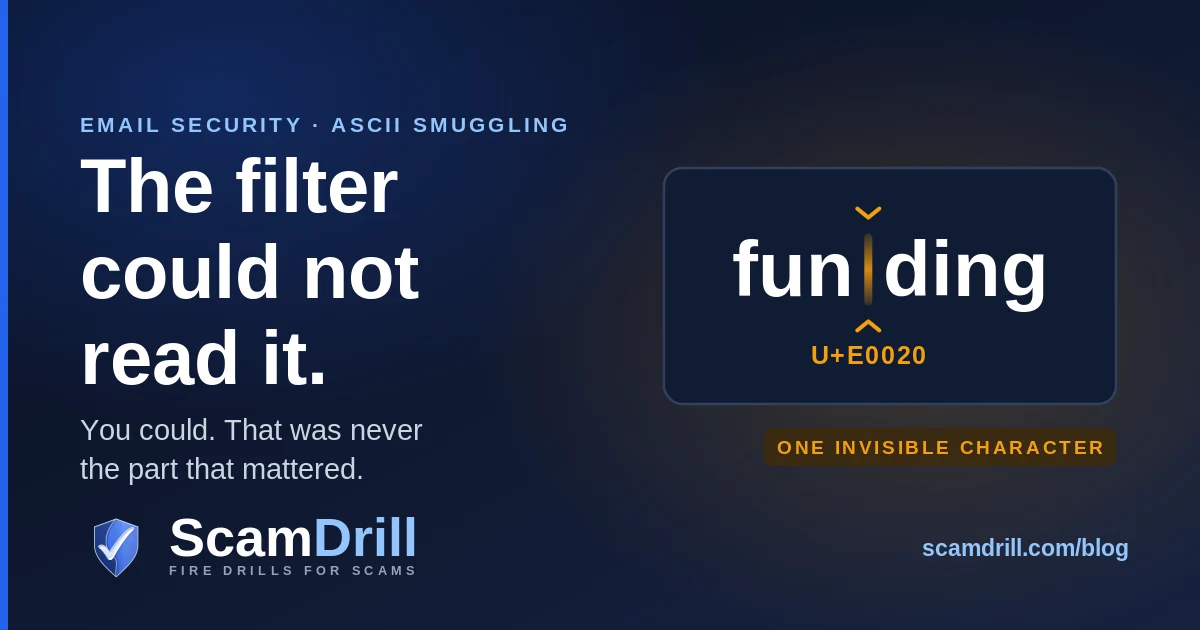
A finance lure word is transmitted with an invisible tag character wedged into the middle of it. funding is sent as fun⟨U+E0020⟩ding. To you, and to any pipeline that strips or normalizes those characters before reading, it still says funding. To a detector matching the literal string, or a regular expression that does not account for invisible code points in the middle of a word, the bytes no longer contain the word at all.
Microsoft is precise about scope here: the campaign was not encoding a hidden message in the tag block. It used a single invisible character as a separator inside high-signal words — invisible-character insertion borrowing a code point from the ASCII-smuggling range, rather than smuggling in the full sense.
The more interesting target is not the string match but the machine-learning classifiers doing most of the work in a modern filter. Those models split text into tokens rather than reading whole words, so a clean lure term is a familiar token or run of sub-tokens. Push an invisible character into the middle and the tokenizer may see fun, something unexpected, and ding — unless, as Microsoft notes, normalization runs first, in which case the character is simply removed and the model reads funding like everyone else.
The evasion made the campaign easier to find
Here is the part that did not make the headlines, and it is the most useful thing in the research.
The trick did not work. Microsoft states that for Defender for Office 365, over 99% of these messages were flagged by layers that did not depend on catching the tag characters at all — sender reputation, IP reputation, URL and domain reputation, machine-learning spam and phishing classification, brand-impersonation detection, authentication checks. The obfuscation defeated the single cheapest layer in the stack and left everything else standing.
And then it got worse for the attacker. Because tag-block characters are close to absent from ordinary email, their presence is itself a strong anomaly. Microsoft says so directly: a technique meant to make messages look more benign to machine-learning models instead handed defenders a low-false-positive indicator. The campaign spent three months wearing a signal flare.
This is not unique to Unicode. It is what tends to happen when an attacker optimizes against one layer of a layered system: the evasion is legible precisely because it is unusual. Same shape in adversary-in-the-middle phishing, where the proxy that defeats ordinary MFA leaves a distinctive trail in sign-in logs.
Which raises the obvious question. If the evasion was close to worthless, what was the campaign actually good at?

Steps 1–4 per Microsoft Security Research, 3 September 2026. Step 5 and the questionnaire fields per Fortra Intelligence and Research Experts, 18 September 2025, documenting the earlier phase of the same ActiveCampaign-delivered SBA-themed campaign.
Take the invisible characters out and read what is left
Microsoft connected the Unicode activity to a campaign that security vendor Fortra had already documented a year earlier, before the tag characters appeared. Fortra’s write-up from September 2025 is the one that tells you what the emails are for, and it is a more uncomfortable read than the Unicode research.
The lure impersonates the Small Business Administration’s line-of-credit programs. Subject lines follow a handful of templates with the company name dropped in: Good News, <Company> — SBA Rates are Down!, Limited Window: Lower SBA Rates for <Company>. Fortra caught one batch that leaked part of its own automation, exposing a %company% parameter being filled in per recipient.
Click, and you land on a site generated for the occasion. Fortra found the pages were AI-produced: same template, varied branding and layout, different stock photography and faces between instances — enough variation to frustrate signature-based detection, hosted on reputable infrastructure so the domain reputation looks fine. In the batch Fortra analyzed, 45 distinct URL domains across 12 sending domains, with a unique link per recipient for click tracking.
Almost nothing on the page works. Navigation is inert; buttons redirect back to the one thing that is live, which is a questionnaire. It asks for:
- Your company’s gross revenue
- The loan amount you want
- Your personal credit score
- Your role in the company
- How long you have been with the business
- Business name, your name, your email address
Then a pop-up thanks you, says someone will be in touch, and offers a phone number for a faster response.
Fortra’s assessment of the objective is the sentence to put in front of anyone who thinks their filter settled this: the operation is not after an immediate credential or payment. It is harvesting detailed business and financial information to enable highly targeted spear-phishing later. The questionnaire is reconnaissance with a submit button.
Why this is worse than a credential phish
A stolen password can be rotated on Tuesday afternoon. A profile saying your company bills roughly this much, wants roughly this much, is run by a person with this job title and this much tenure, and is actively looking for money right now cannot be revoked. It is accurate, it stays accurate for months, and it is exactly what is needed to write the convincing follow-up — the fake broker, the fake underwriter, the callback about the application you actually filled in.
That follow-up is the attack we have written about from the other end. A vendor-impersonation email that already knows your payment terms is not guesswork. This campaign is the reading somebody did first.
Why it arrived looking legitimate
There is no spoofing in this campaign, which tends to surprise people who have spent money on email authentication.
The messages were relayed through infrastructure associated with ActiveCampaign, a real and widely used email-marketing platform. Three consequences follow. SPF, DKIM and DMARC pass, because the platform genuinely is sending on behalf of a domain the operator genuinely controls. IP reputation looks like marketing traffic — about 92% of the measured volume came from a single /24 block, legitimate shared space carrying real newsletters too. And every link is rewritten to the platform’s click-tracking domains, so the URL your user hovers over does not point at the strange finance domain at all.
Microsoft shared the findings with ActiveCampaign before publishing. The company says it tested the technique against its content moderation, that messages containing invisible Unicode get the same verdicts as their unobfuscated equivalents, and that heavy use of the technique is itself treated as suspicious. A reasonable answer, and it does not change the structural problem Microsoft states carefully: with any shared sending service, abuse of customer accounts complicates reputation-based filtering, because the activity looks like legitimate marketing traffic.
Worth sitting with, if your defensive story is mostly authentication. DMARC tells you a message really came from where it says. It does not tell you the sender is honest — the same point as device-code phishing on Microsoft 365, where every step is a genuine Microsoft flow doing what it was designed to do.
A business looking for money has already lowered the drawbridge
Every phishing control your team has been trained on assumes the message is unwelcome. Nobody wants a password reset they did not request, or an invoice from a supplier they have never used. The training works partly because the email is an intrusion.
A funding offer is not an intrusion if you are looking for funding. Fortra makes exactly this point about why the SBA programs were chosen: they appeal to businesses seeking funding and the promise of financial relief, which can override normal caution — and smaller firms run with less defensive budget, which is why they get picked.
So the failure here is not really a filter failure. Most small businesses have no process for an inbound offer of good news. There is a callback rule for payment changes, probably a rule about wire requests from the owner, and almost never a rule that says we do not give financial details to a lender who contacted us first. That category does not exist, because it never looked like a threat category.
The clean version of the rule, and it fits on a sticky note: you pick the lender. The lender does not pick you.
Rules that survive any obfuscation
The Unicode trick will be replaced. It already has been — the campaign kept running after the tag characters stopped. So the useful controls are the ones that do not depend on recognizing the technique.
Rules derived from SBA Office of Inspector General guidance on loan and phishing fraud, and FTC consumer guidance on advance-fee loans. Both are cited in full in the text above.
All four are process rather than technology, which is the honest summary of this whole story. The last one — verifying through a channel the other party did not choose — is the same muscle that catches the fake help desk and the fake bank fraud department, and it is worth rehearsing precisely because it feels rude in the moment.
One addition specific to lending. To check whether a lender is real, the FTC’s route is registration with your state attorney general or banking regulator, plus a search of the company name alongside complaint and scam. For SBA-branded offers, SBA’s Answer Desk is 1-800-827-5722, and SBA OIG’s rule stands whatever the page looks like: if payment is required up front to secure approval, or a high-interest bridge loan is offered in the interim, suspect fraud.
What the IT side should change
If you have an internal IT person, or an MSP, this section is for them. Microsoft’s guidance reduces to one sentence, and it generalizes well beyond this campaign: normalize before you match.
| Change | Why |
|---|---|
| Strip or fold invisible code points before content rules run | Tag block U+E0000–U+E007F, plus zero-width space, zero-width non-joiner, no-break space and soft hyphens. Any keyword, regex or signature logic should see the normalized text, not the raw bytes. This is the actual fix. |
| Alert on tag-block characters rather than only stripping them | Outside the England, Scotland and Wales flag emoji, these code points are rare in ordinary mail. Microsoft’s own framing is that the rarity makes them a high-value, low-false-positive anomaly signal. |
| Test your own pipeline rather than assuming | Microsoft is explicit that implementations vary and defenders should check how their stack handles these characters. Send yourself a message with an invisible tag character inside a word your rules match on, and see whether the rule still fires. |
| Apply the same normalization upstream of any AI that reads mail | The control that defeats this evasion is the same control that reduces prompt-injection exposure for assistants ingesting email content. If you have turned on an AI assistant over the mailbox in the last year, this is the item to raise. |
| Hunt the shape, not the character | Bulk volume from churning finance-vocabulary domains, on a weekday-on, weekend-off schedule, relayed through a marketing platform. Microsoft publishes Advanced Hunting queries for exactly this fingerprint if you are on Defender for Office 365. |
One caution on the indicators. The platform’s tracking domains and sending IP range are shared with every legitimate customer of that platform, and Microsoft says plainly that the /24 block is not an indicator of compromise on its own. Use those to scope an investigation; do not block them.
If someone on your team already filled in the form
No password was taken and no malware ran, so there is nothing to clean up in the usual sense. What was taken is a profile, and the response is about what happens next.
- Write down exactly what was entered. Revenue figure, requested amount, credit score, role, tenure, contact details. You need this because every one of those fields is a fact the next attacker will use to sound informed.
- Tell the finance function the specific lie to expect. Not “be careful of phishing.” Tell them a call or email is likely coming that will correctly reference an application for roughly that amount, and that its purpose is to move money or collect banking details.
- Expect the phone, and treat any inbound call about the application as hostile. The questionnaire ends by inviting a call. Anyone ringing about it did not get your number from a lender.
- Do not open a bank account or sign anything for a “faster” deposit. The advance-fee pattern the FTC describes shows up at exactly this stage: a processing, insurance or application fee payable before funds arrive.
- If a personal credit score or Social Security number went in, treat it as an identity incident too and work that side in parallel. The business profile and the personal one get sold to different buyers.
- Report it. ReportFraud.ftc.gov, and if the lure used SBA branding, the SBA OIG Hotline. SBA OIG says outright that hotline reports are how it stays aware of trends.
If the incident turns out to be bigger than a form submission — if credentials went in somewhere along the way, or a payment moved — the sequencing matters more than the thoroughness, and we wrote the order to work in separately.
What to do now
The durable lesson here is not about Unicode. It is that an attacker who optimizes hard against one layer of a defense usually leaves the other layers intact, and often leaves a brighter trail than before. Filters got better at this specific problem the week the research came out. The funding lure did not get any weaker, because it was never aimed at the filter.
So the two things worth doing are small. Ask whoever runs your mail filtering the normalization question, and get an actual answer rather than a reassurance. And say the sentence out loud to whoever handles your money: we pick the lender, the lender does not pick us — then decide in advance who gets told when an unsolicited offer arrives.
If a link turns up and someone wants a second opinion, you can run the address through our free link checker. It will not resolve a marketing-platform tracking URL into a verdict on the business behind it, but it catches the cruder end of the range in seconds.
And if your team has never seen one of these under realistic conditions, the gap to close is not knowledge. Most people can list the red flags. The gap is that nobody has practiced the pause on a morning when the offer looks useful — which is the only morning it ever arrives.
Run the drill before the real one lands
ScamDrill sends your team realistic practice phishing emails — the funding offer, the vendor bank change, the “confirm your details” link — and coaches whoever clicks, privately. Nobody is named and nobody is graded. The point is that the pause becomes automatic. See how it works for small teams, or read the overview for organizations.
Start a free trial