RMM Phishing: When the Malware Is a Real Remote-Access Tool
Bottom line up front
Two phishing campaigns written up in the last fortnight, one by Microsoft and one by Huntress, ended the same way: the victim installed a real, legitimate remote-access tool, pointed at a server the attacker controlled. Nothing in that chain is malware in the way your antivirus understands the word, so it usually stays quiet. The fix is not a better virus scanner. It is knowing which remote-access tool your business actually uses, and making every other one fail to run.
The antivirus did its job. That’s the uncomfortable part.
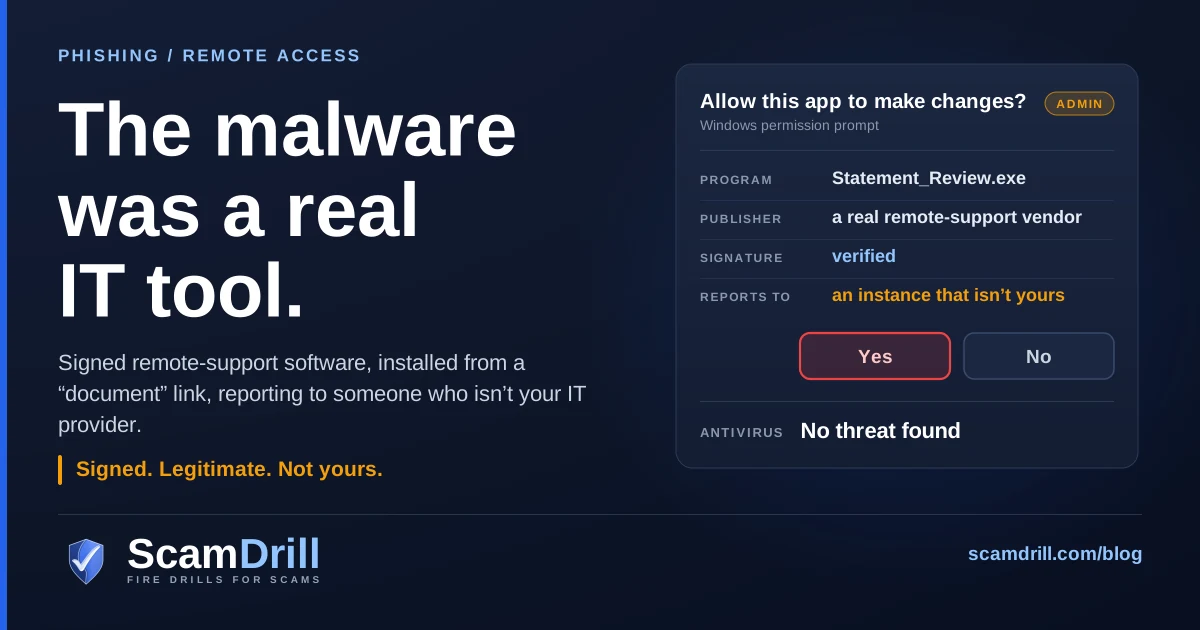
Someone in accounts gets an email about a document to review. The link goes to a page on a Microsoft domain, which looks fine, because it is one. A file lands in Downloads. Windows asks whether this app can make changes to the device, and the publisher line shows a real software company, because the installer is real and was signed by that company. They click Yes. Nothing alarming happens. The screen doesn’t flicker. A small icon may appear in the system tray, the kind of icon that sits there on half the managed laptops in the country.
What they installed was remote monitoring and management software — RMM, the category of tool your IT provider uses to patch machines and fix problems without driving over. It works exactly as designed. It just reports to someone else.
This has been building for a while. Proofpoint wrote in March 2025 that more threat actors were using legitimate RMM tools as a first-stage payload in email campaigns, with the shift visible in its data from mid-2024. What has changed in the last few weeks is the polish around the delivery, and that is what this post is about.
Seven signs a “document” is really a remote-access install
If one of these is on someone’s screen right now, start here. None of them require knowing what RMM is.
- You clicked to read something and a file downloaded instead. Documents open. Programs install. If the “statement” arrived as an
.exeor.msi, the conversation is already over. - The file name is dressed as paperwork. Microsoft’s write-up lists installers named things like
SSA.GOV_STATEMENTandVIP_ECARD_INVITATION, each withrmmand a version number tucked on the end. Read the whole name, not the first word. - Windows asks for permission to make changes. A PDF has never needed administrator rights. That blue-and-grey prompt is the single best place to stop, and it’s where some of the installs in Microsoft’s case actually failed.
- The link lives somewhere you trust. Power BI, Dropbox, an Amazon S3 bucket, GitLab. Attackers host there because filters and people both wave those domains through. A trusted host tells you nothing about the file.
- The page tells you where to look. “Your verification form has downloaded, check your Downloads folder.” Huntress recorded almost exactly that notification. Real document portals don’t coach you into running files.
- The software isn’t the one your IT uses. ScreenConnect, AnyDesk, Atera, MSP360 and the rest are ordinary tools. Seeing one is not a red flag. Seeing one you have never been told about is.
- The pretext is boring on purpose. E-cards, RSVPs, a DHL notice, a Zoom or Teams install prompt, a PDF reader update, a job offer, a contract to sign. Boring lures get clicked in a hurry and forgotten by lunch.
Definition
RMM phishing is a phishing attack whose payload is a legitimate remote monitoring and management tool, such as ScreenConnect, configured to connect to the attacker’s server instead of your IT provider’s. Because the software is real and often signed, antivirus usually lets it run, and the attacker gets a working remote session.
What Microsoft and Huntress published this fortnight
On 29 September, Microsoft published an analysis of campaigns its Defender Experts had watched in July, hitting organizations across multiple industries. The lure list reads like a week of normal inbox traffic: meeting requests, Zoom and Google Meet installation prompts, Adobe Acrobat updates, RSVP invitations and e-cards, job offers, document review and signature requests, package-delivery notices. The payload was a legitimate, digitally signed MSP360 RMM installer saved under those deceptive names, hosted on attacker domains, compromised websites and ordinary cloud storage — Amazon S3, Cloudflare R2, Dropbox, GitLab, Supabase.
Once the user approved the Windows elevation prompt, the installer set up MSP360’s services so they would survive a reboot. The MSP360 agent then ran PowerShell to quietly install a second tool, ConnectWise ScreenConnect. From there the operator used ScreenConnect’s own file-transfer-and-run feature to push the actual hacking utilities: credential access, data collection, defense evasion.
Microsoft is careful on two points that matter. It “did not observe exploitation of ScreenConnect software itself.” Nobody broke the product. They used it as sold. And it has not tied the activity to a named group. One detail worth noticing: the certificate on the sample Microsoft analysed has since been revoked. That helps with that file. It does nothing about the next signed installer from the next vendor.
Then on 7 October, Huntress described a campaign it first caught on 10 September. The email linked to a page on a genuine Microsoft Power BI domain, showing a blurred “reference document” with a Download Reference button. That button opened an attacker site which fingerprinted the visitor (browser, operating system, IP address, location) and reported it to a Telegram bot, sending anyone who looked like a researcher somewhere else. Everyone else got a short delay, an automatic download, and a note telling them their verification form was in Downloads.
The file was a ScreenConnect client tied to the attacker’s instance. In one incident it then ran a script that installed a second ScreenConnect client pointing somewhere new, removed the first, and created a scheduled task called SCAutoRepairEvery2Min that, as the name suggests, put things back every two minutes. Huntress’s SOC stopped it there. A retroactive hunt tied the same client configuration to 22 other endpoints across separate incidents.
Two campaigns, different authors, different first tool. Same idea: get a legitimate remote-control agent onto the machine, then make sure removing one copy doesn’t end the visit.

Chain composite of Microsoft Security, “Phishing abuses RMM tools for persistent access,” 29 September 2026, and Huntress, “Phishing campaign abuses Microsoft Power BI to deploy rogue RMMs,” 7 October 2026. Amber marks the attacker’s move, red the point of loss, blue where you break it.
Why your antivirus is quiet
Because, judged on the file alone, it’s right. The installer is the real product from the real vendor. Plenty of businesses run the identical binary on purpose, every day. A scanner that flagged ScreenConnect as malicious would light up every MSP client in the country by mid-morning.
Government advisories have said this plainly for years. In January 2023, CISA, the NSA and MS-ISAC published advisory AA23-025A after help-desk-themed phishing hit federal staff. The victims downloaded portable versions of ScreenConnect and AnyDesk, so nothing was installed and nothing needed admin rights, and the agencies warned that RMM use “generally does not trigger antivirus or antimalware defenses.” That campaign was a refund scam: the attacker, with remote control, doctored a bank balance on screen and asked the victim to send back the “overpayment.” Same tool, very different endgame.
The scale has moved since. Huntress’s 2026 Cyber Threat Report put the rise in RMM abuse at 277% year over year in 2025, while use of traditional hacking tools dropped 53%, according to Dark Reading’s coverage of the report. In a post this August, Huntress said it now sees the tactic in almost 40% of the incidents it investigates. Take vendor percentages with whatever salt you normally use, since Huntress is looking at its own customers, not the whole economy — but the direction is consistent across everyone publishing on it.
The reason is less mysterious than it sounds. Custom malware gets signatured, gets burned, has to be rebuilt. A commercial remote-support tool is maintained by someone else, updated by someone else, and trusted by default on the networks attackers want. My read is that from the attacker’s side it’s simply cheaper, and the trial accounts and free tiers that make these products easy for a three-person IT shop to adopt make them just as easy for a criminal to adopt.
This is not only an email problem
The same tools show up at the end of phone calls. The FBI’s May 2025 notice on the Silent Ransom Group describes fake subscription-charge emails whose “cancel” phone line ends with the victim installing remote access software, and later calls from people posing as internal IT. The Bureau names Zoho Assist, Syncro, AnyDesk, Splashtop and Atera among the tools involved. If your team only learns to spot bad links, the phone version walks straight past them. We wrote that branch up as help desk vishing, and the Teams version as help desk impersonation in chat.
The question that matters: whose instance is it?
Here’s the reframe I’d push on any owner or office manager. You cannot win the argument about whether ScreenConnect is safe software. It is. So is AnyDesk, so is Atera. The question that actually separates your IT provider from an intruder is narrower, and it has a checkable answer: which account, which instance, does this agent report to?
Every one of these products works on the same basic model. The vendor hosts a service. A customer (your MSP, say) has an account on it, often with its own subdomain or relay address. Agents installed on your machines call home to that account. Install the same software from an attacker’s link and it calls home to the attacker’s account instead. Byte for byte the programs can be identical. The owner is not.
The same program can be either. Antivirus row per CISA/NSA/MS-ISAC advisory AA23-025A; second-agent row per both campaigns above.
Most small businesses can’t answer that question today, and it’s not because anyone was careless. The tool was picked by whoever set up IT three years ago, and nobody wrote it down because nobody needed to. The fix is a one-line note, and it’s the foundation for everything in the next section.
Five controls, in the order I’d do them
None of this needs a security team. A couple of them need your IT provider for twenty minutes.
1. Write down the one tool, and the one instance
Ask your IT provider, or whoever set things up, two questions: which remote-access product do you use on our machines, and what is the name or address of your account on it? Put the answers in the same place you keep the help desk’s phone number. CISA’s first recommendation in AA23-025A is exactly this, an audit of which RMM software is in use and authorized, because every later control depends on it. If the answer comes back as three different tools, that’s worth a conversation on its own.
2. Make every other remote tool fail to run
This is the control that does the heavy lifting. Microsoft’s guidance is to use Windows application control or AppLocker publisher rules to block unapproved IT management tools, and, for Defender for Endpoint customers, to block specific signed applications by certificate. CISA goes a step further and says application controls should stop both installation and execution of portable versions of unauthorized RMM software. The portable ones are the ones that slip past “users can’t install software” policies.
If that sounds like a lot for a fifteen-person office, start with a list. The LOLRMM project is a community-maintained catalog of remote-management tools attackers have abused, with the install paths, network artifacts and detection rules for each, and it’s the kind of list an MSP can turn into a block policy in an afternoon. Ask yours whether they already have one. Many do and simply haven’t turned it on for you.
3. Take local admin away from everyday accounts
Microsoft noted that some installation attempts in its case failed when the Windows elevation prompt was denied or aborted. That’s the whole argument for standard user accounts in one sentence. It isn’t sufficient on its own (portable tools don’t ask for admin, which is why control 2 comes first), but it turns a lot of one-click installs into a call to IT, which is precisely the friction you want.
4. Alert on a new remote tool, and on two of them
Huntress’s advice is to monitor for new or unexpected ScreenConnect installations, connections to unapproved instances, and new scheduled tasks or scripts tied to remote-access tools, and to investigate any endpoint with multiple RMM clients installed. That last one is the cheapest high-value alert you can ask for. Both campaigns published this fortnight layered in a second agent on purpose so that cleaning up one would not end the access. A machine with two remote-control tools on it should be a ticket, every time.
5. Close the doors at the network edge, and lock your own tool
CISA recommends blocking inbound and outbound connections on common RMM ports and protocols at the perimeter, and requiring that authorized RMM be used only from approved remote-access paths. In plain terms: your firewall or DNS filter can refuse connections to remote-support services you don’t use. And the tool you do use is now one of the most valuable accounts in the business. Microsoft’s first recommendation is MFA on approved RMM systems. If your MSP’s console is one stolen password away from every machine you own, that’s a question for your next quarterly review, asked politely and in writing.
What to tell staff, in one sentence
Settings will catch most of it. People catch the rest, and only if the instruction is short enough to remember while a prompt is sitting on the screen.
If reading something asks you to install something, stop and send it to IT.
It covers the e-card, the statement, the meeting install, the PDF update, and the phone call that ends with “just download this so I can take a look.” Then add the specific: our remote-support tool is called [name], and IT will never send you a link to install it. Saying the name out loud matters more than it seems. It turns “something called ScreenConnect wants permission” from a shrug into an obvious mismatch.
And say what happens if someone already clicked: nothing bad, to them. The person who reports in five minutes is the reason the cleanup is small. The person who stays quiet because they’re embarrassed is how one laptop becomes the whole network. That needs to come from whoever runs the place, not from a policy document.
If someone already ran it
Assume someone has had hands on that keyboard and work from there. Roughly in this order:
- Disconnect the machine from the network and leave it on. Pull the cable or kill Wi-Fi. A shutdown can lose evidence about what the operator ran.
- Inventory every remote-access tool on it. Not just the one you found. Both campaigns installed a second agent, and Huntress saw a scheduled task restoring one every two minutes. Look for new services, new scheduled tasks and new startup entries alongside the programs list.
- Reset passwords for the account that installed it. That’s Microsoft’s explicit advice, from a clean device, with sessions revoked. If a system-level account was involved, it’s a bigger investigation.
- Assume credentials on that machine are gone. The point of the Microsoft operator’s follow-on tools was credential access. Saved browser passwords, cached VPN logins, anything the user had open.
- Check what else talked to the same instance. Huntress found one configuration on 22 other endpoints. Ask your IT provider or security tool to search for the same relay or instance across every machine, not just this one.
- Reimage rather than clean. An operator with a remote shell and a file-transfer feature can leave things nobody logged.
If it’s bigger than one machine, the sequence matters more than speed, and we laid out the order to work through a business incident separately. Containment first, identity second, and resist the urge to start with who clicked.
If you have an MSP (or you are one)
Most businesses under a hundred people have outsourced IT, and that changes the shape of this problem in a useful way. Your MSP already runs an RMM. They already know the one tool and the one instance. What they may not have done is treat every other RMM as hostile on your machines, because historically the threat was malware, and malware was what their stack was tuned for.
So the request to your provider is specific: block remote-access tools other than yours, alert us if a second one appears, and turn on MFA for your own console if it isn’t already. A good MSP will hear that as a sensible question. If you run an MSP, it’s worth getting ahead of your clients on this; the same attackers would very much like an agent installed on your technicians’ machines, because that is a way into all of your clients at once.
One honest caveat. Blocking unapproved tools occasionally blocks something legitimate — a vendor who needs a quick remote session to fix a printer or a line-of-business app. Plan for that. A known exception process (“call us, we’ll start the session from our side”) is better than a rule that gets quietly switched off the first time it annoys someone.
What to do now
This week, find out the name of your remote-support tool and your provider’s account on it. It’s a single email, and almost nothing else in this post works without the answer.
Next, ask your provider whether other remote-access tools are blocked on your machines, and whether you’d get an alert if a second one showed up. If either answer is no, ask what it would take. Most of the time it’s a policy they already have.
Then tell your team the sentence, and the tool’s name. Recognizing “reading something shouldn’t install something” in a meeting is easy. Recognizing it at 4:40 on a Friday with a delivery notice open is a different skill, and the only way to get it is to have felt that moment once somewhere safe. That’s what drills are for, and it’s why attackers keep picking smaller firms: the rehearsal usually hasn’t happened. For the email-side cousin of this attack, the fake law-enforcement notice whose attachment is the payload, see the fake Interpol email.
Practise the pause before the prompt
ScamDrill sends your team realistic practice phishing — the e-card, the document to review, the urgent IT notice — and coaches whoever clicks, privately. Nobody is named and nobody is graded. See how it works for organizations, or take the tour of the admin dashboard.
Start a free trial