Microsoft Teams Help Desk Impersonation: When IT Support Messages You First
Bottom line up front
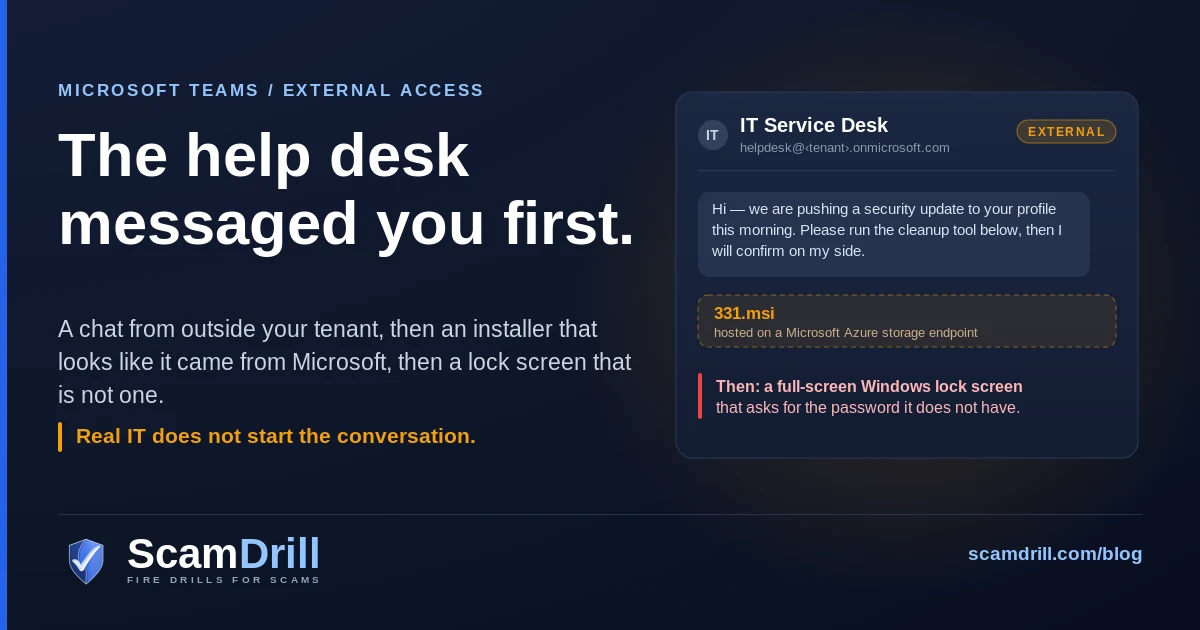
Attackers are opening Microsoft Teams chats from tenants they control, using a display name like IT Service Desk, and talking people into either installing a file or handing over a remote session. Teams allows chat from any external domain by default, and the attacker only needs the target to say yes once. In the case Expel documented, the yes was an MSI hosted on a Microsoft Azure storage endpoint; the payoff was a fake Windows lock screen that captured the user’s password in the clear. Two settings in the Teams admin center and one sentence said out loud to your staff close most of this.
Everyone has been trained to squint at email. Nobody has been trained to squint at Teams. That is the whole play.
A chat window opens. The name at the top says IT Service Desk. There is a profile photo, and the message is polite and slightly bureaucratic about a security update going out this morning. If your IT is outsourced — which describes an awful lot of companies under 200 people — you may have no idea what your help desk’s Teams account is supposed to look like. There is nothing to compare it against.
Microsoft has been flagging this pattern since the spring. In April its threat intelligence team published a walkthrough of what it called cross-tenant help desk impersonation, in which the attacker works from a separate Microsoft 365 tenant, opens a chat through Teams’ external access feature, and social-engineers the user into granting remote control. CSO Online’s write-up of that research quotes Microsoft describing the result as user-approved access: no exploit, no malware signature, just a person clicking through warnings because someone they believe is IT asked them to.
Then in August, Expel published the version with a malware payload attached, and it is worth reading in full because of how ordinary the front end is.
Seven tells in a help desk message that isn’t
If one is open on your screen right now, start here. None of these require you to know anything about the technique, which matters, because the technique will change and these will not.
- They messaged you first. This is the big one and it is almost sufficient on its own. Your help desk answers tickets. It does not cold-open a chat about an update you did not report.
- Teams labels the sender as external. Teams marks chats from outside your organization. It is a small tag and it is easy to read past, which is exactly why attackers are comfortable with it being there.
- The address ends in
.onmicrosoft.com. Every Microsoft 365 tenant gets one of these by default. Yours probably has a real domain on top of it; a tenant spun up this week for this purpose often does not. Expel recovered the sender in its case as an<anything>.onmicrosoft.comaddress belonging to a different tenant. - There is a file, or a request to start a remote session. Those are the only two endings. Everything before them is setup.
- The hosting looks impeccable. In Expel’s case the installer sat on an Azure blob storage endpoint, so the download really did come from a Microsoft domain. A URL you trust is not a file you trust.
- You are being asked to click past a warning. Microsoft’s own framing of the April campaign is that users are persuaded to override multiple, clearly presented security prompts. If a support conversation involves talking you through a warning dialog, stop there.
- Your inbox filled with junk right before the message arrived. This one is not obvious and it is the best tell on the list. Blumira observed recipients being hit with a spam flood first, deliberately, so that a help desk getting in touch about your mail problem feels not just credible but overdue. Junk wave, then IT makes contact, is a compound signal — and it is the version of urgency that does not announce itself as urgency.
Definition
Teams help desk impersonation is a social-engineering attack in which someone messages your staff through Microsoft Teams from an outside tenant, posing as internal IT support. The goal is a file installed or a remote session granted. It arrives inside a trusted app, so email filtering never sees it.
Why the chat comes from outside your tenant
Because Teams lets it. Microsoft’s admin documentation is explicit that “allow all external domains” is the default setting, and that it lets anyone in any Teams-enabled organization find, call, chat and set up meetings with your people. The feature exists for a good reason. You want your accountant, your MSP and your customers to be able to reach you without being added as guests. The cost is that the same door works for a tenant registered an hour ago.
Sunil Varkey, quoted in the CSO piece, put the shape of it better than I would have: allowing anyone into a lobby should not mean they can walk employees to restricted areas and request access. Collaboration tools were built to remove friction, and the friction they removed included the bit where a stranger has to get past reception.
The second reason has nothing to do with configuration. Email is asynchronous, and the gap between reading and replying is where doubt lives. A chat is live. Someone is typing. Saying “hold on, let me verify who you are” to a person who appears to be waiting costs far more socially than ignoring an email does. Greyhound Research’s Sanchit Vir Gogia framed the shift as phishing asking for attention while this model demands participation, which is the part that makes the tells above harder to act on than to recite.
The chain, one step at a time
Expel’s analysis, published 20 August 2026 by Marcus Hutchins, started from something unglamorous: an EDR alert on a suspicious scheduled task during an incident on a client network. Compile timestamps put the malware’s first build around 28 July 2026. Expel named it SynkLoader, for an everything-but-the-kitchen-sink design that strings together Python, PowerShell, C# and C++, sometimes three languages inside one module.
The engineering is genuinely inventive and mostly beside the point for a small business, so here is the part that matters — the sequence a person actually experiences.

Attack chain per Expel Intel, “SynkLoader: when you throw in everything but the kitchen sink,” 20 August 2026. Sender tenant and installer URL as published in that analysis.
A few details deserve pulling out of the box.
The MSI called itself PowershellCleaner. That name does real work: it sounds like something IT would run, mildly janitorial rather than powerful, and it gives the conversation a reason to exist. Once it ran, almost nothing else touched the disk. Expel found the loader shipping its own copy of the Python runtime — Windows does not include one — and then mapping native DLLs straight into memory, which Expel notes draws fewer EDR detections when it is driven from a Python script than from a compiled binary.
Persistence was a scheduled task with a random twelve-character name, created through the Task Scheduler COM interface rather than by calling schtasks.exe, specifically to dodge behavioural rules that watch command lines. It fired at every logon and again at 10 a.m. daily. Expel says the purpose of the second trigger is unclear, and I appreciate that they left it unresolved instead of inventing a reason.
The lock screen, and the keystroke that exposes it
Once Expel’s emulated host looked worth attacking — they fed the command-and-control server a fake Active Directory domain with a few thousand machines in it — the operators started sending modules. One of them was new.
Expel called it PhishLocker. It is a full-screen application that imitates the Windows lock screen: it pulls the current username with GetUserName, loads the machine’s real lock screen wallpaper from C:\Windows\Web\Screen, and draws a login prompt. Roughly 500 KB of code goes into the UI. Hutchins put two screenshots side by side in the writeup and invited readers to pick the fake; the clearest giveaway is that the background does not blur when the password box takes focus.
Then the user types their password to get back to work, and the operator has it. In plaintext. No hash, no Mimikatz, nothing that a credential-theft detection would fire on.
If a lock screen appears and you did not lock the machine
Press Ctrl+Alt+Delete. On a genuinely locked Windows session that takes you to the secure screen; a fake cannot intercept it. Alt+Tab is the other check — Expel confirmed the fake is just a borderless full-screen window, so the Alt+Tab switcher draws on top of it, which is impossible on a real lock screen. Expect the fake to snap focus back to itself; that resistance is itself the answer. And note that it never validates what you type, so any string dismisses it. If you typed your real password into one, that password is gone: change it from a different device before you do anything else.
I have not seen this module in the wild myself, and Expel is careful to say it found no prior references to the technique being used locally by malware — only browser-based equivalents from over a decade ago, when JavaScript could throw a page full-screen and paint a fake bank login. So treat it as one documented case, not a wave. It is here because the idea is cheap, it runs on muscle memory rather than a vulnerability, and cheap ideas that work get copied.
Why the Windows password is the prize
This is the question I expect to get from anyone who has spent money on MFA, and it is a fair one. If you have multi-factor authentication turned on, what is a password worth?
Quite a lot, in two specific ways.
First, single sign-on. Expel makes this point directly: because so many organizations wire everything to one identity, the Windows account password opens far more than one machine. You are not looking at a lost login. You are looking at the key to whatever that identity federates into.
Second — and this is the clever bit — SynkLoader paired the credential theft with a tunneling module. Expel calls it TrafficRedirector: a reverse proxy that dials outward to the attacker’s server and waits to be told which address and port to connect to. It does two jobs. It lets the operator reach services that only exist on your LAN, and it lets them reach the internet wearing your machine’s IP address. Combine that with the stolen password and the logins arrive from a known device on a known network, at a plausible hour, from the right geography. The conditional-access rule that would have caught a sign-in from an unfamiliar IP has nothing to object to.
Which is the same lesson as the adversary-in-the-middle proxies that steal session cookies: MFA is not the control people believe it is. It raises the cost of a stolen password. It does not make one worthless.
Expel is appropriately hedged on attribution. Its only real signal is that the profiling module counts machines in Active Directory — the kind of thing that matters when you are sizing a ransom — and it assesses with low-to-medium confidence that the toolkit belongs to a ransomware crew or an access broker selling to one. Narrower than most of the coverage implied, and the honest version.
The other branch: remote control instead of malware
The Expel case had a payload. The Microsoft April case often did not, and that variant is arguably worse for a small business because there is nothing for an antivirus product to find. The email version, where a fake document installs a real remote-support tool, is now common enough that we wrote it up on its own: RMM phishing and why antivirus misses it.
Per the CSO reporting on Microsoft’s research, the intrusions ran through commercial remote management software — Quick Assist, which is built into Windows — and then used Rclone, an entirely legitimate file-transfer tool, to move data out to external cloud storage. Microsoft describes attackers relying on native administrative tooling and legitimate utilities to move laterally and exfiltrate while looking like routine IT work. Microsoft’s more recent post, published 2 September 2026, summarises the same campaign shape as a human-operated intrusion that abuses Teams external collaboration to impersonate IT support, gain remote access, and deploy a Node.js-based implant.
The most useful account of this branch, if you are the person who would have to deal with it, is Blumira’s advisory from 5 June 2026. Blumira replicated the chain end to end in a lab and says it also caught and stopped real attempts at the initial-access and reconnaissance stages. The timings are the part I would put in front of a sceptical owner:
The account was ithelpdesk8@kilan.onmicrosoft[.]com, display name Help Desk, operating from an external trial tenant, and it opened chats with several employees inside a thirteen-minute window. After Quick Assist, reconnaissance was near-instant — net.exe group /dom five times in under two minutes — then DLL sideloading through signed executables staged in C:\ProgramData, a WinRM pivot to domain controllers on TCP 5985, and Rclone exfiltration configured to skip certain file types so the transfer looked smaller than it was.
Everest Group’s Prabhjyot Kaur described the detection problem in the CSO piece as there being very little that looks overtly malicious in isolation, because the actions blend into normal IT operations. The compromise only becomes visible as a sequence: unsolicited external chat, then remote support session, then lateral movement. Individually, three unremarkable events.
With one exception, and it is cheap to watch for. Blumira flags QuickAssist.exe spawning cmd.exe or powershell.exe as a high-confidence malicious indicator. Remote support does not normally hand someone a shell. If your endpoint tooling can alert on a parent-child process pair, that is one rule, and it sits exactly where this stops being a conversation and becomes an intrusion.
Twenty-one minutes is why the rest of this post is about the two places a small company can actually intervene. You are not going to out-detect this. You can make the door narrower, and you can make the first step feel wrong to the person receiving it.
Four settings that close the front door
All four live in the Teams admin center under Users › External access, or in Teams PowerShell, and all four are described in the Microsoft documentation. Budget twenty minutes.
Defaults and cmdlet names per Microsoft Learn, “Manage external meetings and chat with people and organizations using Microsoft identities,” Microsoft Teams admin documentation.
1. Move external domains from “allow all” to an allow-list
Microsoft offers four configurations: allow all external domains, allow only specific ones, block specific ones, or block everything. Allow-all is the shipped default. For most small companies the list of organizations that genuinely need to Teams-chat your staff is short and knowable — your MSP, your accountant, two or three partners. Write it down and allow those.
One trap: by default, blocking a domain does not block its subdomains. Block contoso.com and marketing.contoso.com still gets through. If you take the blocklist route instead, set -BlockAllSubdomains $True via Set-CsTenantFederationConfiguration — otherwise the control does less than you think.
2. Stop unmanaged accounts from opening the conversation
Separately from domains, Teams can chat with personal Microsoft accounts. The setting is “People in my organization can communicate with unmanaged Teams accounts,” and under it sits a checkbox that decides whether those accounts may start the conversation. Clearing the checkbox while leaving the setting on is the useful middle: your people can still reach out to a contractor on a personal account, but a stranger cannot search your organization by email address and open a chat.
3. Check your trial-tenant setting, because the sources disagree about the default
A brand-new Microsoft 365 trial tenant is the cheapest way to look like a colleague — rapid signup, no vetting — and it is what Blumira observed the attacker using.
Here I have to flag a genuine conflict rather than pretend it away. Microsoft’s documentation states the default value of -ExternalAccessWithTrialTenants is Blocked, overridable to Allowed. Blumira’s advisory says the opposite — that the setting “is not enabled by default” and closes a common initial-access vector once turned on. Both are credible; they cannot both be right. My read is that the documented default is current and Blumira may be describing older behaviour or an unset value, but I would not bet your tenant on my read. So check it:
Get-CsTenantFederationConfiguration | Select-Object -ExpandProperty ExternalAccessWithTrialTenantsIf it does not say Blocked, set it. This matters more if your tenant is old, has been through a migration, or has had several administrators.
One limit worth stating plainly: this control does not cover every hostile tenant. Trial-only means no purchased licences, so a tenant holding even one paid seat sails straight past it — and Expel’s case was an .onmicrosoft.com sender with no indication it was trial-only. The allow-list in step one is the control that actually holds. This one narrows the cheapest option.
4. Turn on the blocked-users list before you need it
Teams has a per-user blocklist, off by default, capped at 200 entries. Turning it on in advance means that when an account does message your staff you can block it in two clicks rather than reading documentation mid-incident — and adding a user also removes them from chats already in progress. On Defender for Office 365 Plan 1 or 2, the docs describe letting your security team manage blocked Teams domains from the Tenant Allow/Block List in the Defender portal, which fits better when mail and Teams are one person’s job.
Three more, since you are already logged in
Quick Assist. Decide whether it needs to exist on every workstation. If it is not installed, it cannot be talked open. If you do use a remote-support tool, name it to your staff so that anything else is instantly wrong.
Safe Links for Teams, and Zero-hour Auto Purge. If you have Defender for Office 365, both can apply to Teams conversations, not just mail — links checked at click time, and bad messages pulled back retroactively. Blumira’s advisory recommends confirming both are actually on, which is worth doing because people assume mail protection covers chat and it does not by default.
Consent and device-code sign-in. Check what your tenant allows in the way of app consent and device-code flows — the other Microsoft-flavoured route into a small business that never needs your password to work.
The one sentence to give your team
Settings narrow the door. They do not close it, because your MSP has to be on the allow-list and an attacker who compromises an MSP tenant is then on it too.
So the durable control is a habit, and habits need to be short enough to survive a busy Tuesday. Here is the one I would give:
If IT starts the conversation, we end it and call back on a number we already had.
That is a callback rule, and it is the same control that works against help desk vishing over the phone — which is the identical attack with a different transport, and the more common one. One rule covers both, which is the argument for teaching the rule rather than the channel.
Two things make it stick. Publish the actual number and the actual account name where people can find them in five seconds, so “a number we already had” is a real thing rather than homework. And have whoever runs the place say out loud that nobody will be criticised for making IT prove who they are. That is what people are really weighing, and no policy language substitutes for a manager having said it.
The same rule covers a call or chat about the “passkey migration” pretext Canada’s Cyber Centre flagged in October 2026.
It is also worth naming what this attack does not rely on. There is no exploit, no zero-day, no unpatched server. It relies on a person having no established way to check. That is a process gap, and process gaps are fixable in an afternoon, which is the rare piece of good news in this topic.
If someone already ran the installer
Assume the password is gone and work from there. In rough order:
- Get the machine off the network and leave it powered on. The interesting modules ran in memory, so a shutdown destroys evidence you may want.
- Reset that user’s password from a different device, and revoke active sessions and refresh tokens rather than only rotating the password. A live session survives a password change.
- Look for a scheduled task with a random-looking name launching
pythonw.exe, and for a folder under%AppData%with a sixteen-character random name containing a Python environment. Expel notes module hashes are unique per infection, so file hashes are close to useless here; the shape of the persistence is what you hunt. - Check where else that password worked. If you have single sign-on, that is the real blast radius, and it is bigger than the one laptop.
- Look for outbound connections that should not exist, given that the tunneling module makes the infected machine a route into everything else.
- Block the account and the domain that messaged you, then check who else it contacted. Blumira’s replication had one operator opening chats with several employees inside thirteen minutes, so treat it as plural until you have checked.
- Reimage rather than clean. With in-memory modules and a hands-on-keyboard operator who may have done things nobody logged, cleaning is a guess.
If it turns out to be larger than one workstation, the sequencing matters more than the thoroughness, and we wrote up the order to work in separately. The short version: containment, then identity, then notification — and do not start by asking who clicked.
What to do now
Three things, and the first two are quick.
Open the Teams admin center and look at what External access is currently set to. Not what you think it is set to — a lot of tenants have never been touched since the month they were created, and allow-all is what they were created with.
Then publish your help desk’s real account name and real phone number where someone can find it while a chat window is blinking at them. A page in the intranet nobody visits does not count.
The third takes longer, and it decides whether the first two matter. Most of your team can recite the red flags in a meeting. Recognising a pretext in a meeting and recognising one at 9:15 on a morning when something genuinely is broken are different skills, and only one gets practised by accident. That is what a drill is for — not teaching people what phishing is, but letting them feel the pause once, somewhere it costs nothing. Smaller firms get picked precisely because that rehearsal has not happened.
Practise the callback, not the quiz
ScamDrill runs realistic practice scenarios for your team — the IT help desk that messages first, the vendor who changed banks, the login page that looks right — and coaches whoever gets caught, privately. Nobody is named and nobody is graded. See how it works for organizations, or start with the 30-day plan for a team that has never run one.
Start a free trial