Legitimate-Service Phishing: When the DocuSign Email Is Real
Bottom line up front
A growing share of phishing now arrives as a genuine notification from a platform your business already uses: DocuSign, QuickBooks, Dropbox, SharePoint, Adobe’s Frame.io. KnowBe4 counted roughly one in ten threat emails it tracked this summer coming through a legitimate service. The sender is real, so every sender check passes. The danger sits in the link, the file or the phone number inside. The habit that beats it is dull and reliable: open the app yourself, find the document in your own account, and never sign in from the email.
For about fifteen years the standard advice about phishing has come down to one move. Check the sender. Hover over the address, look for the misspelled domain, the extra letter, the docusign-secure.net that isn’t DocuSign. It was good advice. A lot of security training, ours included, was built on it.
It doesn’t help with this one.
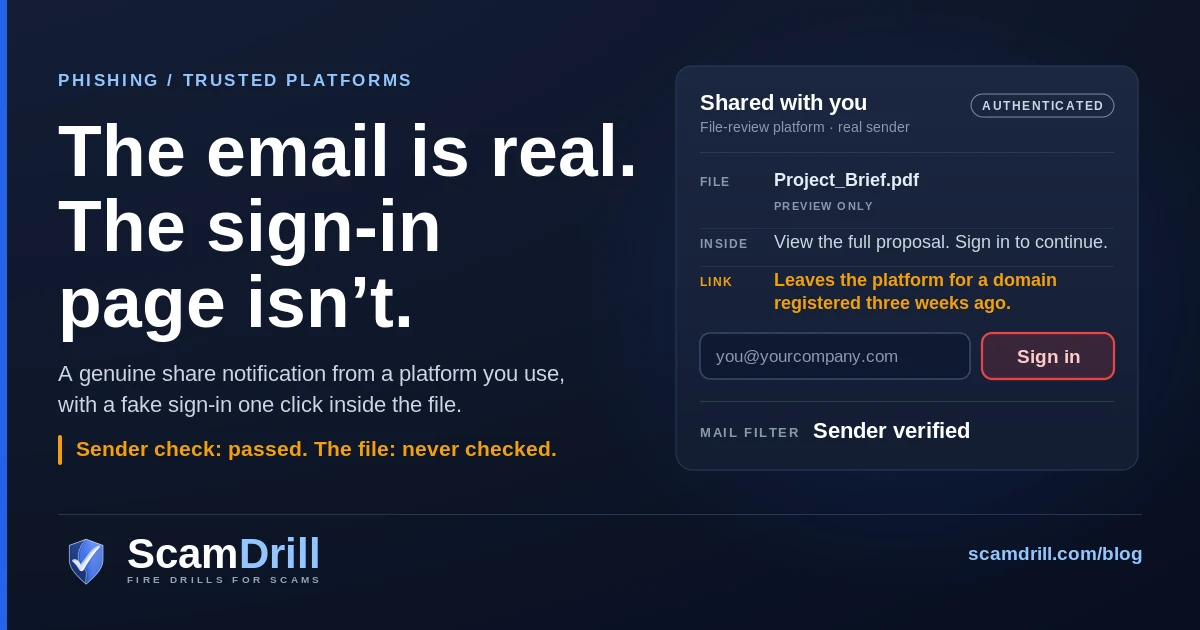
On 27 August, staff at one company started receiving emails from Frame.io, the video and file review service Adobe owns. Not a lookalike. The real Frame.io, sending from its real address, through its real notification system, saying someone had shared a project with them. Inside was a PDF that opened in Frame.io’s genuine preview. Somewhere in that PDF was a link that ended at a fake Microsoft 365 sign-in. Ocean Security, which investigated it, says 22 of these landed in that one company’s tenant inside two hours, and that the final domain had zero detections across 91 engines on VirusTotal when they checked. Frame.io itself was not compromised. It was used.
That is legitimate-service phishing, and it has quietly become one of the most common shapes a phishing email takes. This guide covers how to spot it when the sender check is useless, why your filter lets it through, and what to change this month.
Seven signs a real notification is carrying a fake payload
The email will look right because it is right. So these signs are about what the notification asks you to do, and whether it fits your week. One on its own proves little. Two or three together are worth a pause.
- You weren’t expecting anything from that platform. Nobody told you a contract was coming, you don’t work with anyone on Frame.io, and you can’t remember the last time someone shared a Dropbox folder with you. A real notification about an unexpected document is the most common version of this attack, by a long way.
- The person who shared it is a stranger, or a name with no company attached. These platforms let anyone sign up and share with anyone. The display name on the notification is whatever the attacker typed when they made the account.
- The file is a preview of a document that only says “click here.” A one-page PDF whose whole content is a button, a blurred “secure document,” a “View full proposal” banner. Real documents have content. Lures have instructions.
- Getting to the document means leaving the platform. You start on docusign.net or frame.io and end up somewhere else. In the Frame.io case the link was hidden inside the PDF, so the jump happened one click after the trusted page.
- A sign-in appears that has nothing to do with the platform. You opened a DocuSign envelope and you’re being asked for your Microsoft 365 password. You opened a Dropbox share and Google wants you to “verify.” That mismatch is the closest thing to a giveaway this attack has.
- There’s a phone number to call about a charge you don’t recognise. DocuSign has warned about its own workflow notifications being used to send fake Microsoft invoices and subscription renewals with a support number in them. The number is the attacker’s.
- A CAPTCHA or “verify you’re human” check sits in front of a document. Not always sinister. But in the Frame.io chain the CAPTCHA was there to keep automated scanners out, so that only a person ever saw the fake sign-in page.
Definition
Legitimate-service phishing (also called LOTS, for “living off trusted sites”) is phishing delivered through a real platform’s own notifications, such as DocuSign, QuickBooks, Dropbox, SharePoint or Frame.io. The email genuinely comes from that service, so sender checks pass. The danger is the link, file or phone number inside it.
How common it is: one in ten, by one count
The most recent numbers come from KnowBe4’s Threat Lab, published on 9 October. Of 544,000 threat emails it tracked between June and August 2026, about 53,000 used legitimate-service techniques. That’s a little under one in ten. A few details from the same report are worth knowing:
- DocuSign and QuickBooks together accounted for nearly two-thirds of that legitimate-service volume. DocuSign was the single biggest vector and grew every month of the three.
- Adobe abuse grew faster than any other platform KnowBe4 tracked, more than doubling over the quarter. Dropbox volume nearly tripled.
- Document-share lures were the largest single theme across all the phishing they tracked, at 39.2%. That figure covers every kind of document-share email, fake and real-platform alike, which is a reminder of how much the whole category leans on “someone sent you a file.”
The usual caveat applies, and I’d rather say it plainly than bury it. These are one vendor’s customers and one vendor’s classifier. Another vendor slicing the data differently will get a different percentage. Abnormal’s 2026 Attack Landscape Report, which looked at nearly 800,000 attacks across more than 4,600 organizations in the second half of 2025, put file-sharing phishing at 12.4% of all phishing, and much higher in some sectors: 22.2% in financial services and 21.3% in construction and engineering. Different method, broadly the same picture. If your business moves documents for a living, this is a big slice of what reaches you.
Abnormal’s write-up has a line I keep coming back to: “Modern phishing doesn’t depend on employee error as much as it depends on employee habits.” Clicking a DocuSign link isn’t an error. It’s Tuesday.
Phantom Preview: a real Frame.io email, a fake Microsoft page
Ocean Security called the August campaign “Phantom Preview,” and Hackread covered it on 20 October. It’s a clean example of how each hop is chosen to pass a different check, so it’s worth walking through slowly.
The email was a standard Frame.io share notification: a named person had shared a project with you. Because it came from Frame.io’s own servers, it passed the authentication checks that mail systems use to spot forged senders. There was nothing to fail.
The shared item was a PDF. Frame.io shows PDFs in its own viewer, and that preview isn’t clickable, so anyone or anything looking at the page saw a harmless document on a trusted site. The link lived inside the PDF file itself, as an annotation. Open or download the file and click, and you left Frame.io for a randomly named Cloudflare Pages address, which immediately redirected to a domain called msauth.biz. That domain had been registered on 6 August, three weeks before the emails went out.
Next came a Cloudflare Turnstile CAPTCHA, then a page address with a one-time token in it, then the fake Microsoft sign-in. Ocean describes it as an adversary-in-the-middle page, the kind that relays your login to the real Microsoft service so it can capture the session even after you complete MFA. (We’ve written up how those relay pages beat ordinary MFA if you want the mechanics.)

Chain per Ocean Security, “How Ray Cracked the Phish No Scanner Could Find,” 10 October 2026 (Phantom Preview campaign, 27 August 2026). Amber marks the attacker’s move, red the point of loss, blue where you break it.
Ocean’s summary of why it worked is blunt: the final domain “was completely clean to standard intelligence feeds.” The bit that caught it was a person. One of the targeted employees reported the first email three minutes after it landed, and that report is what started the investigation that found the other 21.
The share is trusted; the annotation inside the asset is the tell.
That line is Ocean’s, and it’s the whole problem in eleven words. Everything about the delivery was legitimate. Only the content was hostile.
Why your filter and your staff both wave it through
Most email security still starts with reputation. Is the sending domain known? Does it pass SPF, DKIM and DMARC? Has this sender behaved well before? A DocuSign notification scores perfectly on every one of those, because it is a DocuSign notification. And many businesses go further: they put platforms like docusign.net or sharepoint.com on an allow list so that contracts and invoices never get stuck in quarantine. KnowBe4 specifically recommends auditing those lists, because a whole-domain allow rule tells your filter to stop looking at exactly the emails attackers are now using.
The link problem is similar. The first link in the email points at the real platform. Any scanner that follows it lands on a real page. The malicious hop is one or two steps further on, inside a file, behind a CAPTCHA, or only served to visitors who look like people. The newest tooling is built to exploit exactly that gap. Infosecurity Magazine reported on 21 October that a phishing-as-a-service platform Abnormal calls Athena StealthRoute sells AI-written lures alongside cloaking controls, and that “security scanners may encounter benign content where intended victims would reach malicious destinations.” Abnormal counted roughly 89,700 messages carrying the platform’s link pattern across about 2,280 organizations in the US and Europe in the six months to 9 October.
And the people? They’ve been trained, by us and by everyone else, to check the sender. They check it. It’s fine. The lesson they were taught tells them to trust this one.
There’s a version of this that borrows a security product’s trust instead of a document platform’s. Late last year Check Point described more than 40,000 phishing emails, sent to roughly 6,100 of its customers over two weeks, dressed as SharePoint and e-signing notices, with every link routed through Mimecast’s link-rewriting service. Mimecast said its customers weren’t susceptible and that this was abuse of a redirect, not a vulnerability. The point for the rest of us is the same: a familiar domain at the start of a link tells you very little about where it ends.
The platforms attackers borrow, and what each one is used for
Each platform tends to come with its own pretext, which is useful, because the pretext is something your staff can learn to recognise.
E-signature (DocuSign and similar)
The classic is an envelope to review: a contract, an offer letter, a revised payment schedule. The newer twist is the one DocuSign warned about in its own trust centre: attackers using its workflow notifications to send what look like Microsoft invoices or subscription renewals, with a support number to call. DocuSign says the goal “appears to be to trick recipients into believing they have an unexpected invoice or subscription renewal.” The call goes to the attacker, who then talks the victim into remote access or a payment. DocuSign’s own rule is the one to repeat to staff: “Legitimate notifications from Docusign workflows will never contain a link to log into your account.”
Accounting and invoicing (QuickBooks and similar)
A real invoice notification, from a real invoicing platform, for something you didn’t buy. KnowBe4 doesn’t break down what its QuickBooks lures asked for, so I won’t pretend to know the split. Expect the same two endings as above: a link to “view and pay,” or a phone number to dispute the charge. Finance teams are the obvious target, though honestly anyone with a company card will do.
File sharing (Dropbox, SharePoint, OneDrive, Google Drive)
“Shared with you.” The shared item is often a single-page document with a button or a link to the “full” file somewhere else. The SharePoint version is especially effective inside Microsoft 365 shops, because it looks exactly like the shares colleagues send every day.
Creative and review tools (Adobe, Frame.io)
The fastest-growing group in KnowBe4’s data, and the one most businesses have never thought about. Agencies, marketing teams and anyone who works with video or design files get real review links all the time. That is the camouflage.
Dashboards and reports (Power BI and similar)
Here the hosted page isn’t a sign-in at all. In the campaign we covered earlier this month, a page on a genuine Power BI domain led to a download that installed remote-access software for the attacker. Same idea, different payload.
The habit to teach: open the app, not the email
If the sender check is useless, what replaces it? Not a longer checklist. People read notifications in a few seconds between other things, and a fourteen-point inspection won’t survive contact with a busy Thursday.
The replacement is one habit, and it works for every platform at once: when a notification asks you to do something, go to the platform yourself and look for it there. Open DocuSign from your bookmark and see whether the envelope is waiting. Open Dropbox and check “Shared with me.” Open QuickBooks, or call the vendor on the number you already have. If the document is real, it’s there. If it isn’t there, the email was the only place it ever existed.
This works because the attacker controls the content of a notification, not your account. Going in through your own login shows you what is actually waiting for you and who really sent it, without the attacker’s framing around it. And nothing a real platform needs from you involves typing your Microsoft or Google password into a page you reached from an email link.
Three short rules sit around that habit:
- A mismatched sign-in is a stop sign. DocuSign asking for your Microsoft password, Frame.io asking for your Google one. Close the tab.
- Never call a number from a notification about a charge. Look the company up yourself.
- Report it even if it turns out to be real. The Frame.io campaign was found because one person reported in three minutes. Nobody should feel silly for reporting a genuine DocuSign.
ScamDrill analysis. The last row is DocuSign’s own rule, from its trust-centre fraud alert on workflow notifications.
What IT should change this month
None of these is exotic. Most are settings you already own.
- Audit your allow lists. If your mail filter skips scanning for whole domains like docusign.net, sharepoint.com or dropbox.com, narrow those rules. KnowBe4’s advice is to scope them tightly rather than wave entire platforms through. Yes, this may put the odd real contract in quarantine. That’s a cheaper problem.
- Move outward-facing accounts to phishing-resistant MFA. Passkeys and FIDO2 security keys won’t authenticate to a lookalike domain, so a relay page like the one in Phantom Preview gets a password and nothing it can use. Start with finance, sales, executives and anyone with admin rights.
- Turn off what you don’t use. If nobody in the business needs the OAuth device-code sign-in flow, block it in Entra; it’s another way a convincing notification ends in a stolen session. Our device-code phishing guide has the steps.
- Alert on what happens after a capture. New inbox rules, forwarding to outside addresses, sign-ins from new countries, a first-time remote-access install on a laptop that has never had one. These won’t stop the click. They shorten how long an attacker has before you notice.
- Make reporting one click and say thank you. A report button in Outlook or Gmail, a named person who looks at reports within the hour, and a reply to the reporter every time. That last part sounds like politeness. It’s actually the control: people keep doing what gets acknowledged.
- Ask your email security vendor one question. Does your product inspect the file behind a share notification, or only the notification? Ocean’s advice after Phantom Preview was that “if the delivery signal verdict and the asset verdict disagree, trust the asset.” Find out whether yours looks at the asset at all.
If someone already signed in
Assume the attacker has the session, not just the password, and work in this order:
- Revoke the account’s active sessions and reset the password from a clean device. Resetting the password alone doesn’t end a stolen session.
- Check the MFA methods on the account and remove anything the user didn’t add. Attackers like to register their own.
- Look for inbox rules, forwarding, connected apps and delegated access created in the last few days, and remove them.
- Search sent and deleted mail for messages the user didn’t write, especially to customers or suppliers about payments, and phone those people. An email warning from a compromised mailbox isn’t worth much.
- If money moved, call your bank straight away and report it at ic3.gov. Fast calls give the best chance of a recall, though there’s no guarantee of one.
Then tell the person who clicked that reporting it was the right call. Our incident response guide for small businesses has the longer version, including who to call and in what order.
How to drill it without teaching the wrong lesson
Simulating this attack well is harder than simulating ordinary phishing, and it’s worth being honest about why. A real legitimate-service attack sends from the real platform. A phishing simulation, ours included, sends from a domain the simulation controls. So a drill can’t perfectly recreate the moment where the sender check passes. What it can do is practise the behaviour that matters more.
- Drill the habit, not the hover. Use signature-request and file-share scenarios, and grade the debrief on whether people would have gone to the app themselves, not only on whether they spotted the sender. If your training still says “check the domain and you’re safe,” update it. That advice is now half the story.
- Include a mismatched sign-in. A file share that asks for a Microsoft password is the moment you want people to recognise in their sleep.
- Include the phone number version. An invoice notification with a support line tests a different reflex from a link.
- Count reports, and how fast they come. The three-minute report in the Frame.io case is the number to aim for. A team that clicks sometimes but reports quickly is in better shape than one that rarely clicks and never reports.
If you’d rather not build those drills yourself, ScamDrill for organizations includes e-signature request and file-share scenarios, and the product tour shows a simulation and its private, no-blame debrief from the admin side. If you’re just getting started, the 30-day phishing simulation plan is the place to begin.
What to do now
Three things, none of which needs a budget.
- Send your team one sentence this week: if a notification asks you to sign in, call, or pay, open the app yourself and look for it there instead.
- Ask whoever runs your email two questions: which platforms are on our allow list, and would we get an alert if someone set up mail forwarding tonight?
- Pick the accounts that move money or hold customer data and put passkeys or security keys on them this quarter.
That won’t make anyone immune. What it does is move the decision away from “does this email look real,” which these attacks are designed to win, to “is it in my account when I go and look,” which they mostly can’t.
Practise the real-looking notification before the real one
ScamDrill sends your team realistic practice phishing, including e-signature requests and file shares that end at a sign-in page they shouldn’t trust, and coaches whoever clicks, privately. Nobody is named and nobody is graded.
Start a free trial